AIPOCH Open-Science is an open-source, local-first, model-agnostic, self-hosted AI research workbench for reproducible scientific discovery. It brings research requests, files, tool activity, code execution, generated artifacts, and inspectable evidence into one persistent workspace. Researchers remain responsible for methods, interpretation, privacy, and scientific validity.
Instead of centering the workflow on a one-off chat, Open-Science centers it on a durable project. A researcher can describe a goal in plain language, attach or reference relevant material, review the tools and code used during execution, inspect the resulting reports or figures, and continue the work without rebuilding the project context from scratch.
This guide focuses on the product's enduring workflow and architecture. Changing catalogs, provider lists, interface labels, and release-specific additions are intentionally omitted. The installed application and the official repository remain the source of truth for currently available options.
What Problem Does an AI Research Workbench Solve?
An AI research workbench addresses the loss of context that occurs when research is split across chat windows, notebooks, file browsers, database sites, terminals, and reporting tools.
Research rarely ends after one prompt. A project may involve finding literature, preparing data, running code, comparing outputs, generating figures, documenting decisions, and revisiting an earlier assumption. When these steps live in unrelated tools, the final result can become disconnected from the files, code, parameters, and decisions that produced it.
That disconnect creates a practical review problem. A collaborator may receive a table without its producing code, a figure without a clear input, or a written conclusion without an inspectable activity record. Even the original researcher may struggle to reconstruct the sequence after enough time has passed.
AIPOCH Open-Science is designed to keep the task, execution, outputs, and available evidence together. It does not make a workflow scientifically valid on its own. It provides a structured record that can assist researchers in reviewing how work was carried out and what still requires independent verification.
What Is AIPOCH Open-Science at Its Core?
AIPOCH Open-Science is a project-based desktop workbench that combines AI-assisted research execution with local workspace management and inspectable outputs.
Four design choices define the product:
- Open-source: the code is available under the Apache License 2.0, allowing researchers and developers to inspect, fork, and extend the application.
- Local-first: project state, sessions, files, artifact versions, and provenance evidence are stored on the researcher's computer by default.
- Model-agnostic: researchers can connect supported model services or compatible gateways rather than organizing every project around one model vendor. Available providers and connection methods can change, so the application settings are the current source of truth.
- Self-hosted: the workbench runs on infrastructure controlled by the user. External model, search, connector, or remote-compute services may still receive the data required for approved requests.
These choices separate Open-Science from a simple chat interface. The central object is not an isolated answer; it is a continuing research project with inputs, conversations, execution records, and reviewable artifacts.
What Makes Up the AIPOCH Open-Science Workbench?
The workbench is built around projects, sessions, AI-assisted tool use, execution environments, artifacts, provenance, reusable Skills, and permissioned Connectors.
Projects and Sessions
A project is the durable container for a research effort. It groups sessions, files, generated artifacts, and related activity so that work can continue across multiple visits. Sessions allow a researcher to separate subtasks or lines of inquiry while keeping them associated with the same project.
Message branching supports comparison without erasing prior work. A researcher can revise a completed request and continue from that point on another branch, leaving the original path available for inspection. Branches can help document why two methods, prompts, or assumptions produced different paths for researcher review.
AI-Assisted Tool Activity
Within a session, the agent can assist with operations such as reading approved files, running code, searching permitted web sources, using configured data services, editing workspace files, and producing reports. Tool activity is shown in the research record so the researcher can inspect what was requested and which operations were performed.
Permission controls allow the researcher to choose how sensitive actions are handled. The appropriate setting depends on the data, scripts, external services, and level of supervision involved. A narrow permission profile is the safer starting point for unfamiliar or sensitive work.
Artifacts and Provenance
Reports, tables, figures, scripts, and other outputs can be stored as project artifacts. Artifact versions preserve the output while the Provenance view presents the evidence the application can associate with its production, such as producing code, execution history, referenced inputs, environment details, conversation context, and available review findings.
Provenance is evidence for inspection, not proof that a result is correct. Missing evidence should remain marked as unavailable, and every analytical output still requires independent verification and expert interpretation.
Execution Environments
Open-Science can support Python and R work alongside recorded command execution. Researchers may use application-managed environments, compatible interpreters on their own systems, or configured remote compute when a workflow requires other resources.
Keeping code and output history near the research conversation makes it easier to inspect how an artifact was produced. Exact reproducibility still depends on the underlying data, environment, packages, parameters, external services, and researcher-defined acceptance criteria.
Skills and Connectors
A Skill is a reusable method package that gives the agent task-specific instructions and supporting resources. Skills may be bundled with the application, created by the user, or imported from an approved source. Because the available catalog can evolve, this article does not use a fixed count or inventory.
A Connector is a permissioned interface to an external data source or tool. Connectors can support literature, biological data, chemistry, research infrastructure, and other configured services. Custom connectors can extend the workbench, while connector-level controls help researchers review which external service is being called and with what parameters.
Model Choice
Open-Science supports model choice at the workbench level. Researchers can select from connection methods supported by the installed application, including compatible provider integrations, custom gateways, or subscription-based sign-in where available.
Model availability, API protocols, regional endpoints, and authentication methods can change independently of the article. For that reason, the model picker and connection test in the installed application should be used to confirm current compatibility.
How Does AIPOCH Open-Science Work?
AIPOCH Open-Science turns a research request into a reviewable record through a repeatable cycle: define the work, supply the evidence, execute with oversight, inspect the outputs, and continue or branch.
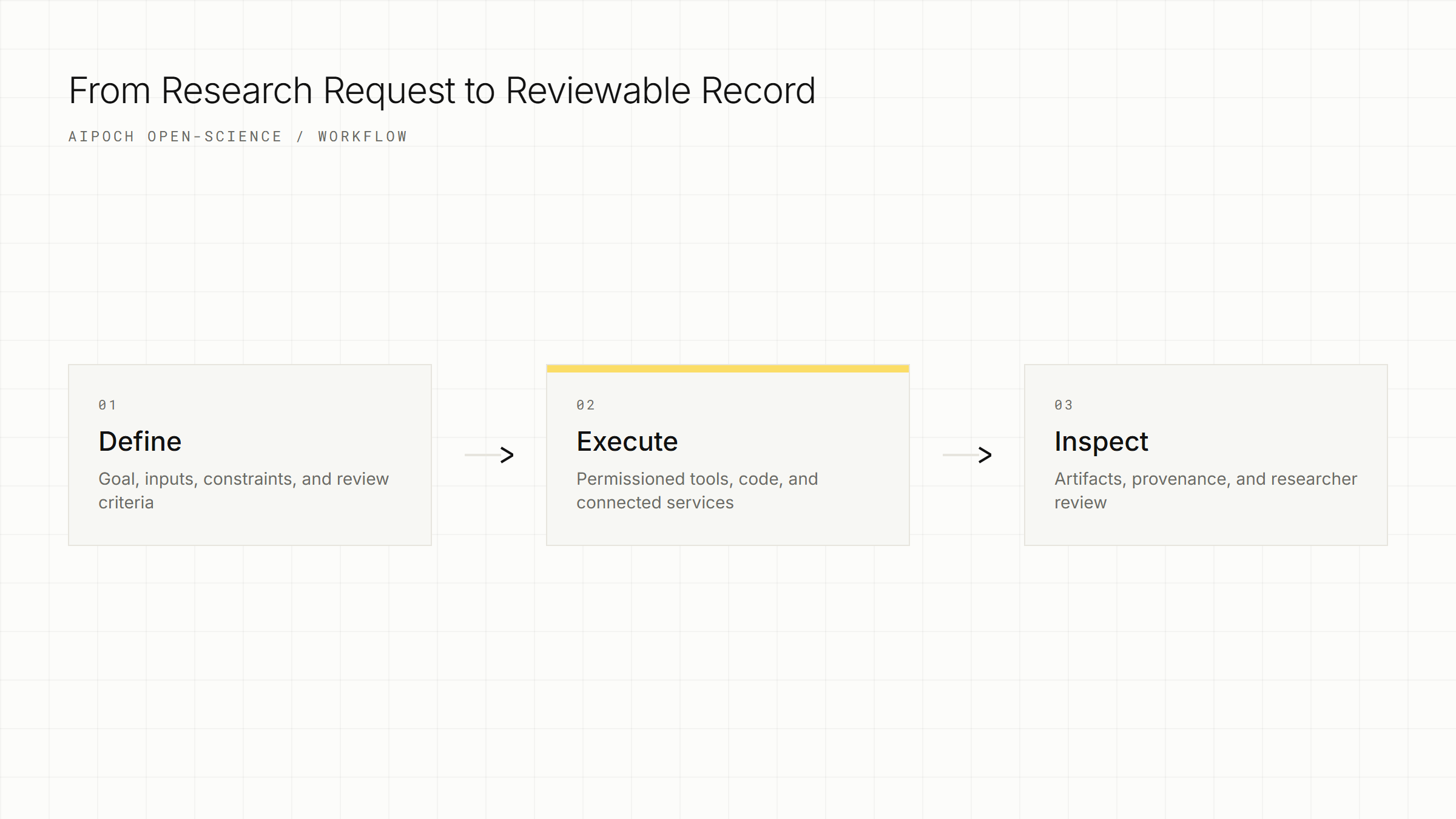
- Create a project. Give the research effort a stable name and description so its sessions, files, and outputs share a clear scope.
- Add or reference inputs. Attach supported files or reference existing project material. Record the source, constraints, and any handling requirements that matter for the task.
- Describe the task. State the goal, inputs, method constraints, expected outputs, and acceptance criteria. Explicit criteria help the researcher review whether the result addresses the intended question.
- Review execution. Inspect tool activity, approve sensitive actions, and review generated code or intermediate outputs. Analytical results should be treated as a starting point for researcher review.
- Inspect and continue. Open the resulting artifacts and available provenance evidence. Continue in the same session, start a related session, or branch from an earlier message when another approach should be preserved separately.
The workflow is iterative rather than linear. A review may reveal a missing source, an unsuitable parameter, or a need for another computation. Keeping those corrections in the project record can make later inspection more informative.
What Stays Local, and What May Leave the Computer?
Project data is local-first, but configured external services may receive the information required to perform an approved request.
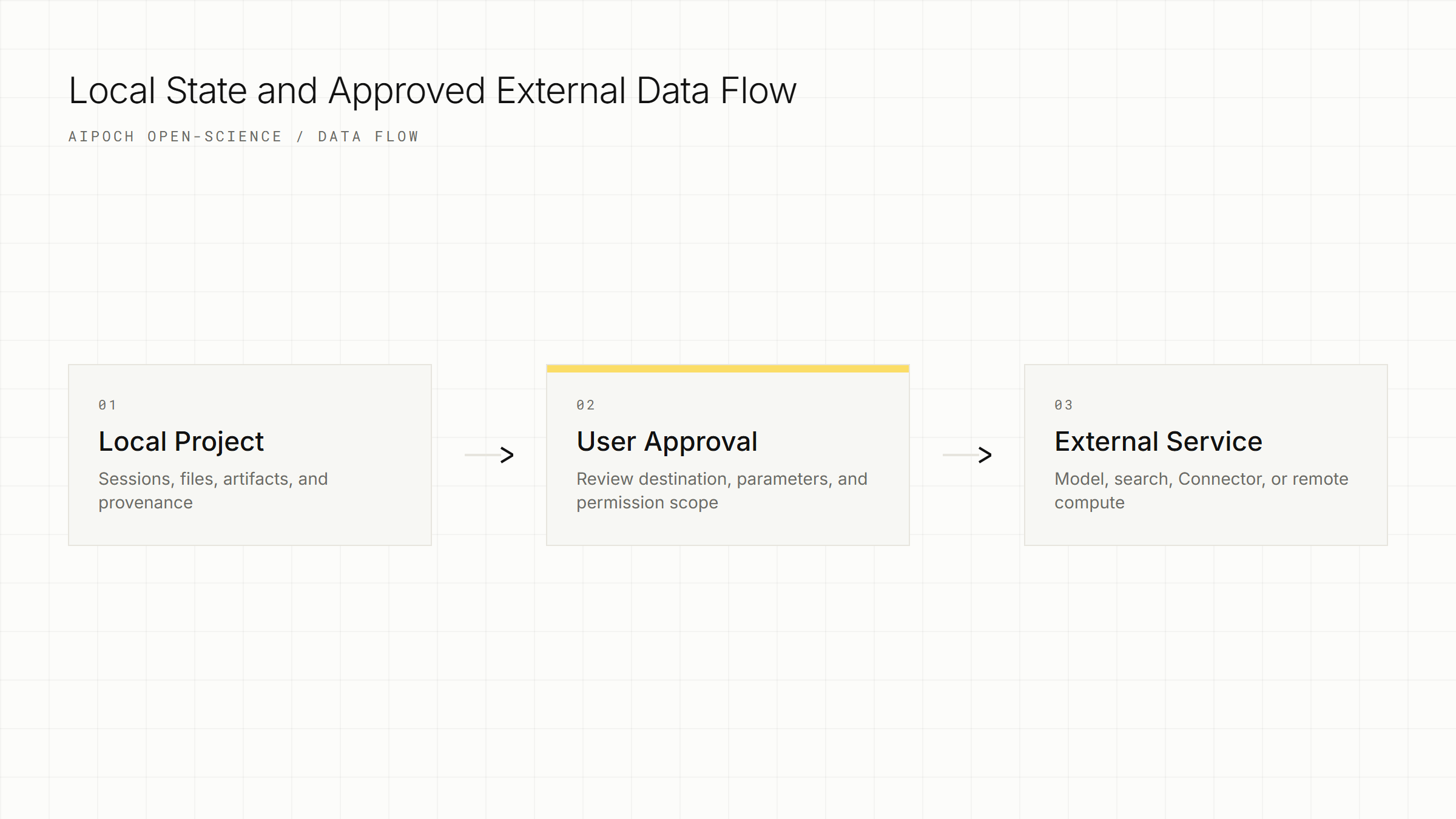
The local workspace can store project data, application state, sessions, artifacts, and provenance evidence on the researcher's computer. Credentials are stored locally and can use operating-system credential storage where supported.
Local-first does not mean every workflow is offline. A model request sends the prompt and necessary context to the selected provider. A web search or remote Connector sends its displayed parameters to the relevant service. Remote compute sends commands, code, or data according to that environment's configuration. Researchers should inspect the action, permission scope, and destination before approving any operation involving sensitive material.
Do not place API keys, access tokens, patient identifiers, confidential research data, or sensitive local paths into public screenshots, prompts, reports, or issue logs. Privacy and governance remain the researcher's responsibility even when the workspace state is stored locally.
Who Is AIPOCH Open-Science For?
AIPOCH Open-Science is for researchers and technical teams that want AI-assisted work to remain connected to files, code, tools, outputs, and an inspectable project history.
It may be useful for:
- researchers who combine literature, code, data, and reporting in the same project;
- computational scientists who use Python, R, command-line tools, or remote compute;
- research teams that need outputs to carry more production context than a copied chat answer;
- developers who want to inspect or extend an open-source research workbench;
- users who need model choice and explicit permission controls within a local workspace.
Open-Science is not a clinical decision system, an autonomous scientist, or a substitute for domain expertise. It is designed to support research operations and produce structured outputs for researchers to review.
Conclusion
AIPOCH Open-Science connects persistent projects, AI-assisted execution, research files, artifacts, and provenance in one local-first workbench. Its long-term value is the workflow architecture: the task, tools, outputs, and available evidence remain associated instead of being scattered across disconnected applications.
Researchers can review the AIPOCH Open-Science product page for an overview and use the official GitHub repository for source code, current installation guidance, and the maintained capability reference. The installed application should be treated as the source of truth for changing catalogs, providers, limits, and interface details.
Frequently Asked Questions
Is AIPOCH Open-Science free?
Yes, the application source code is available under the Apache License 2.0. External model services, remote infrastructure, or other connected services may have their own costs and terms.
Does my research data leave my computer?
It can, depending on the services you configure and approve. Project state is local-first, but model requests, searches, remote compute, and Connectors may send necessary context or parameters to external services; inspect each destination and permission scope before using sensitive data.
Which models does AIPOCH Open-Science support?
Open-Science is model-agnostic, but the exact provider and model catalog can change. Use the provider settings and connection test in the installed application to confirm current availability and compatibility.
What is the difference between a Skill and a Connector?
A Skill is a reusable package of task instructions and resources. A Connector is a permissioned interface to an external data source or tool; both can extend a workflow, but they serve different roles.
Can AIPOCH Open-Science replace researcher judgment?
No. Open-Science is a research workflow tool, and all outputs require researcher review, independent verification, and expert interpretation. Review features may surface issues or organize evidence, but they do not establish scientific validity.
Disclaimer
This article is intended for informational purposes only and does not constitute medical advice, clinical guidance, diagnostic or treatment recommendations, or validated scientific conclusions.
AIPOCH Open-Science is a research workflow tool and does not replace researcher judgment. Researchers remain responsible for independently verifying and interpreting all outputs before using them in any research context.