Open Science v0.16.0: a usage dashboard, a composer queue, and headless plan controls
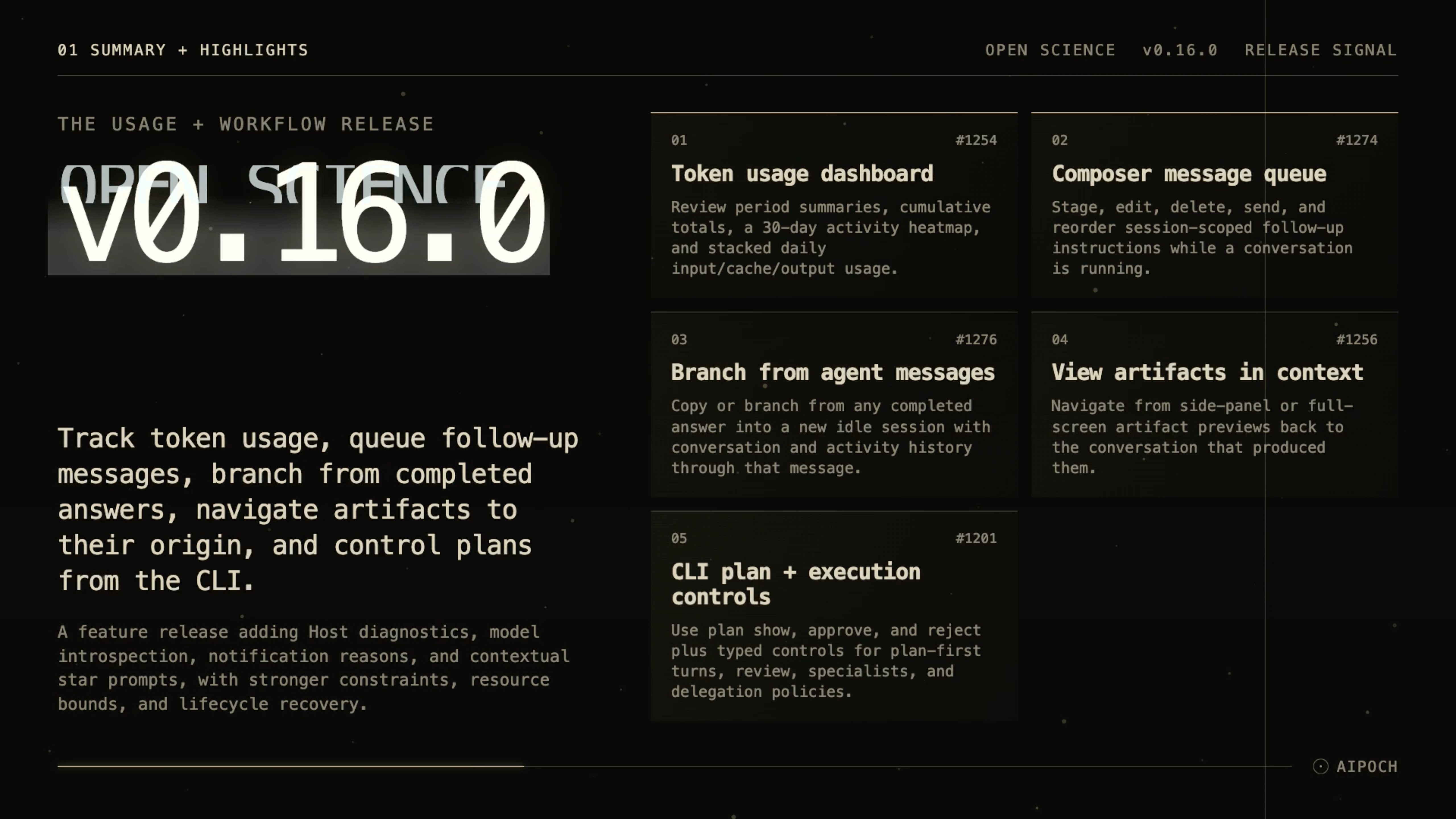
Open Science v0.16.0 is out. This release adds a Usage dashboard, a session-scoped composer message queue, the ability to branch from completed agent messages, view-in-context artifact navigation, and CLI plan controls — plus a round of reliability and host-sdk improvements.
Open Science v0.16.0: a usage dashboard, a composer queue, and headless plan controls
 Open Science v0.16.0 is out. This release adds a Usage dashboard, a session-scoped composer message queue, the ability to branch from completed agent messages, view-in-context artifact navigation, and CLI plan controls — plus a round of reliability and host-sdk improvements.
Usage dashboard
Settings now has a Usage panel that summarizes tokens, sessions, projects, runs, and artifacts across Today, This week, Last 30 days, and All time. Each period shows both new activity and the cumulative total, so you can see whether today's spike is part of a longer trend. A 30-day activity heatmap and a stacked daily input/cache/output chart fill out the view. The numbers come from provider-reported usage and the conversation graph as the authoritative source, with artifacts deduplicated.
Composer message queue
You can now stage follow-up messages while a turn is still running. The queue sits above the composer input, supports edit, delete, send-now, and drag or keyboard reordering, and clears automatically when side-chat, permission, ask-user, or plan surfaces take over the composer. Queued messages live in renderer memory and reset on restart.
Branch from completed agent messages
Every completed agent message now has Copy and Branch in new session actions. Branching creates a new idle session with the full conversation graph and activity history up to that message, preserving the context that made the answer useful without sending a new prompt. It is disabled while the source session is running.
View in context for artifacts
Artifact previews now show a View in context action next to Provenance, both in the side preview panel and the full-screen dialog. It opens the artifact's origin session in the conversation panel, which is especially useful when you opened the preview from another session or the project Files library.
CLI plan and execution controls
Headless and automated workflows can now complete the plan approval handshake through typed commands. The CLI adds plan show, plan approve, and plan reject, along with task-start controls for plan-first turns, auto-review toggles, specialist binding by stable id or name, and delegation policies.
Host SDK, notifications, and reliability
The Host SDK gains read-only session diagnostics (host.sessions.list, host.sessions.inspect) and model introspection (host.currentModel, host.listModels). host.llm() results now use camelCase fields (stopReason, inputTokens, outputTokens, and so on), so existing notebook code or skills that read snake_case fields will need to update.
Notifications now carry a bounded attention reason, and inbox rows for deleted sessions are invalidated with explanatory copy instead of disappearing. SQLite CHECK constraints are enforced for review, finding, compute job, and granted-root state; local artifact and reviewer reads are bounded by a single application-level resource policy; connectivity probes record diagnostics; and session-state wait reasons and conversation branches are preserved across lifecycle transitions.
Get the release
Download the installer for macOS, Linux, or Windows from the v0.16.0 release page, or build from source with npm install and npm run build:mac|linux|win.