Open Science is an open-source, local-first, model-agnostic AI research workbench maintained by AIPOCH. For a high-level overview of the workbench, see What Is Open Science?. The release referenced here is v0.16.0, published on 16 August 2026.
A research project is larger than a single prompt. It accumulates source files, alternative questions, execution records, generated outputs, and follow-up work that may continue for weeks. Open Science organizes that work around Projects and Sessions, then reconnects Files and Artifact Versions to the conversations that used or produced them.
The important question is not only where the data is stored. It is when to start a new Project, open another Session, create a message branch, or turn a completed answer into a new Session. This guide explains those choices using the organization model available in Open Science v0.16.0.
The actual organization model
Open Science does not store research as one long chat. It uses three primary units, plus the cross-cutting surfaces that help a researcher navigate active work.
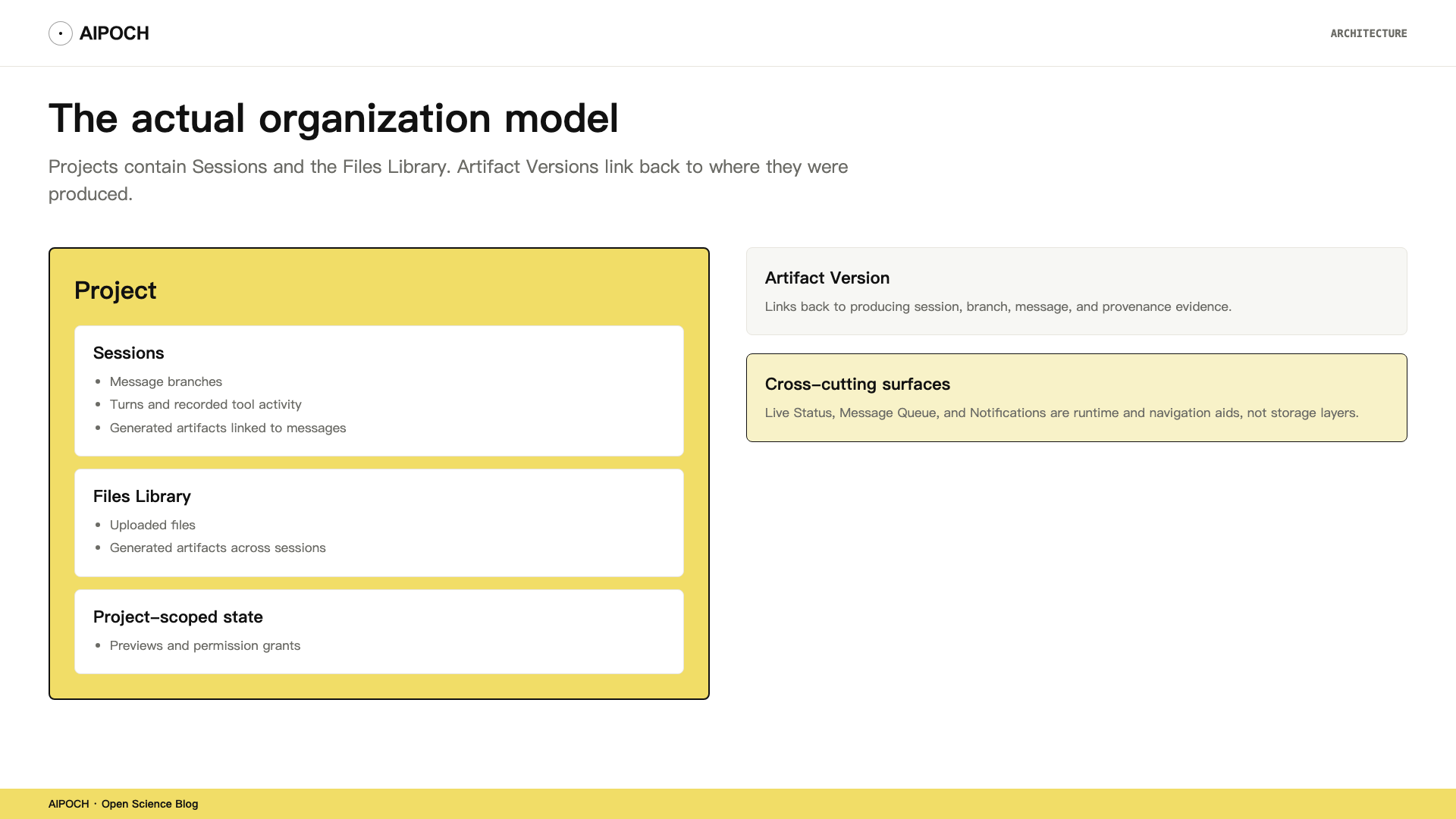
A Project is the top-level container for one research theme. It keeps Sessions, the Files Library, and project-scoped state such as previews and applicable permission grants together. Project metadata, session state, uploads, artifacts, and related application records are stored locally across Open Science's database and managed data directories. External calls still occur through the model providers and tools the researcher configures or approves.
A Session is a single conversation thread inside a Project. It holds the message graph, the agent's recorded tool activity, and any generated artifacts linked to the messages that produced them. Sessions are persisted, so closing the app and reopening it returns the researcher to the same conversation state. Multiple sessions let a researcher separate distinct lines of work without losing shared project files.
A message branch splits a Session into alternative paths. A researcher can branch from a user message or from a completed agent message to explore a different question while keeping the original thread intact. Branching from a completed agent message creates a new idle Session that carries the conversation graph and activity history through that message, but sends no prompt automatically.
The Files Library collects project uploads and generated artifacts across sessions. It does not include every local folder on the researcher's machine. Local folders remain outside managed project storage and can be granted separately with @path; granting a folder is not the same as uploading or snapshotting it into the Files Library.
An Artifact Version is an immutable snapshot of a generated output. It links back to the producing session, branch, message, and available provenance evidence. This lets a researcher refer to a specific version later instead of silently following the latest draft.
Live Status, the composer message queue, and notifications are cross-cutting runtime surfaces, not additional storage layers. They help a researcher see what is happening now and what needs attention next.
When to create a Project, Session, or Branch
The practical value of Open Science's organization model is that it gives clear answers to common situations:
| What you want to do | Recommended action | Why |
|---|---|---|
| Start an independent research question, dataset, or access boundary | Create a new Project | Separates Files, Sessions, and project-scoped records |
| Work on a new workflow within the same research question | Create a new Session | Shares Project Files, but keeps the conversation goal clear |
| Revise an earlier prompt and compare an alternative answer path | Create a message branch in the current Session | Keeps both the original path and the alternative |
| Turn a completed answer into its own independent workflow | Branch in new session | Copies context through that message into a fresh idle Session |
| Stage the next instruction before the current turn finishes | Use the Message Queue | Runtime staging aid; not preserved after app restart |
| Bind later analysis to a specific generated result | Use@to reference an Artifact Version | Avoids following a newer file version by mistake |
| Let the agent access an existing directory outside the project | Use@pathto grant local folder access | Does not copy the directory into the Files Library |
This table is the center of the article. The rest explains how each action works and where its limits are.
Keep inputs and outputs connected
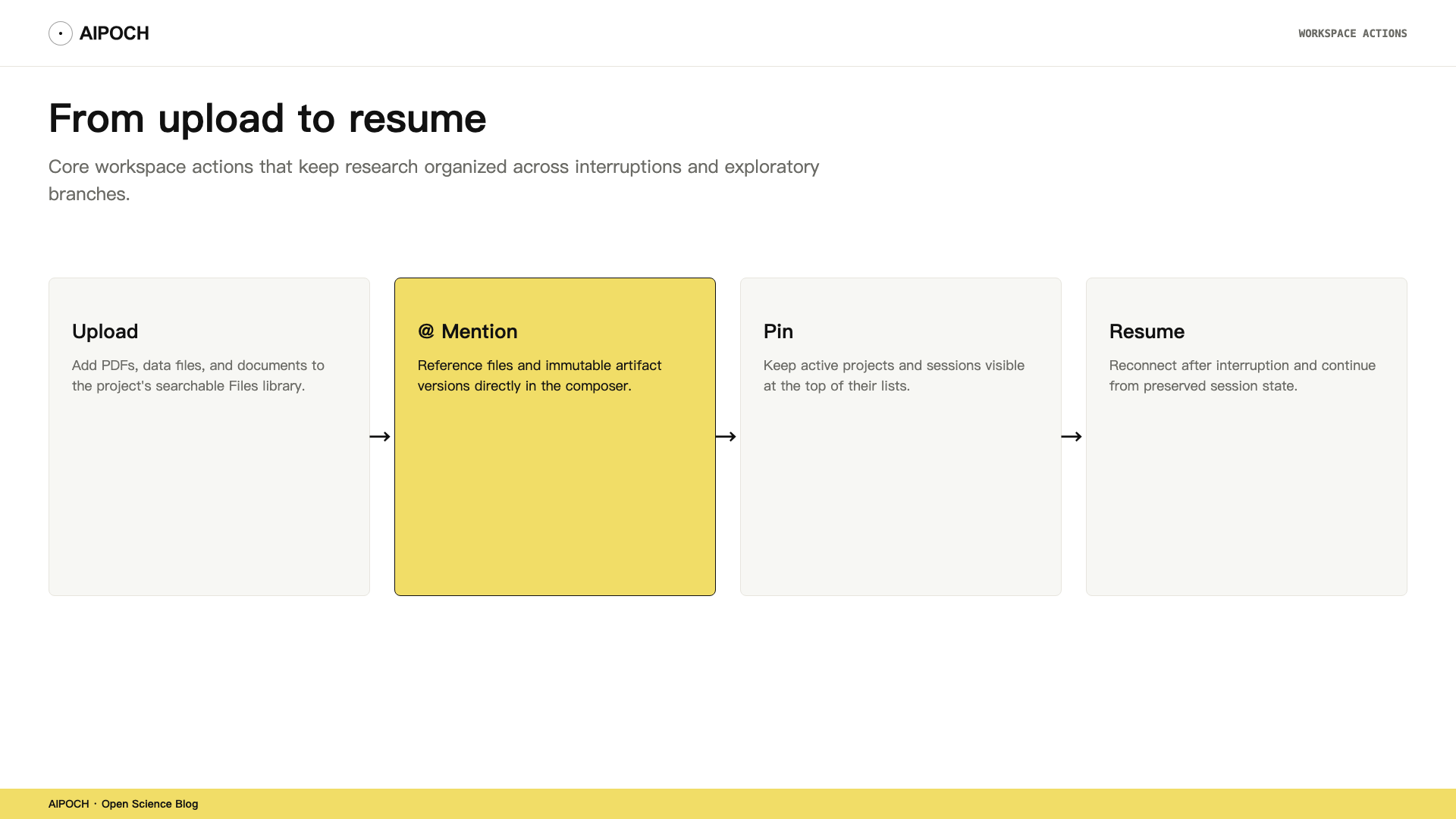
Every project has a Files Library. It holds two kinds of content: uploads brought in by the researcher, and artifacts generated by the agent during sessions. Files are indexed for search and can be opened in a split-view or full-screen preview. In v0.16.0, artifact previews gain View in context, which jumps from a preview back to the session and message that produced the artifact.
When composing a message, a researcher can type @ to reference an existing project upload or artifact. When an Artifact Version is referenced, Open Science retains the version identity so later work can point back to the intended output rather than silently following a newer version. For a deeper explanation of why immutable versions matter, see the post on artifact provenance.
Skill invocations use a parallel mention style: typing / opens the Skill picker and inserts a skill chip. The combination of @ for files and / for methods lets a researcher compose a precise instruction such as "analyze @dataset.csv using /descriptive-stats" without pasting paths by hand.
@path serves a different purpose. It grants the agent access to an existing local folder without uploading its contents into the project. This is useful for reading large or externally managed datasets, but it means the agent can see only what the granted path allows. Researchers should grant the narrowest path that covers the files they intend to use.
Keep active work visible
While a session is running, Open Science shows Live Status for the current turn: the agent's current action, any pending permission request, and whether the session is waiting for user input. The status appears in the session list as well as the workspace, so a researcher can switch contexts without losing track of a long-running task.
The composer message queue, added in v0.16.0, lets a researcher stage follow-up instructions while a turn is still running. The messages can be edited, reordered, or sent immediately. The queue belongs to the current session while the app is running, but queued messages are currently held in renderer memory and are cleared when the app restarts. Treat it as a staging aid, not a durable task list.
Notifications surface when a session needs attention. In v0.16.0, notifications carry a bounded attention reason—such as waiting-for-user, plan-approval, or connection-lost—so the inbox becomes a reliable place to triage active work instead of a stream of raw provider messages.
What persists—and what does not
Sessions and their message history are durable. Closing the app and reopening it returns the researcher to the same project and session state. Artifact Versions are also durable and remain linked to the messages that produced them.
A few things are not durable in the same way:
- Message Queue items are held in renderer memory and clear on app restart.
@path folder grants are access authorizations, not copies; the files stay in their original locations.- Live Status and notifications reflect runtime state and expire once the relevant turn ends or the session is no longer active.
If the app restarts while a session is running, Open Science can mark that session as interrupted and show a Resume action. Resume attempts to reattach the supported agent runtime and restore the durable conversation context. Whether the provider-side session itself can be resumed depends on the active agent framework and backend; Open Science may need to adopt a fresh runtime context when reattachment is unavailable. Switching agent backends cannot transfer in-flight tool state.
Boundaries
Open Science's project and session model is designed for individual research workflows. A few boundaries are worth keeping in mind:
- Local, not offline. Files and records are stored locally, but model calls, Web Search, Connectors, and Remote Compute still produce external data flows.
- Single-user within a machine. There is no built-in multi-user real-time collaboration or cloud project sharing.
- Not a Git replacement. Artifact Versions provide provenance evidence, but they do not version-control source code with deterministic diffs.
- Not a guarantee of reproducibility. Provenance records show what happened; re-executing the same steps still requires compatible environments and researcher review.
For a deeper look at how agent capabilities can be extended within this workspace, see the post on Skills, Connectors, and Specialists. For how the workbench checks its own outputs, see the post on the Reviewer.
FAQ
When should I create a new Project?
Create a new Project when the research question, dataset, or access boundary is independent from your other work. A Project separates its own Files Library, Sessions, and permission grants.
What is the difference between a Session and a message branch?
A Session is a full conversation thread inside a Project. A message branch is an alternative path within that thread, letting you revise an earlier prompt and compare the result without overwriting the original answer.
What is Branch in new session?
Branch in new session, available on completed agent messages in v0.16.0, copies the conversation graph and activity history through that message into a new idle Session. It is useful when one answer deserves to become its own line of work.
Does the Message Queue persist after I close Open Science?
No. Queued messages are held in renderer memory and are cleared when the app restarts. Use the queue for staging instructions during a live session, not for long-term task planning.
What is the difference between uploading a file and using @path?
Uploading copies the file into the project's managed Files Library. @path grants the agent access to an existing local folder without copying its contents into the project.
Try it
Open Open Science v0.16.0, create one Project, and start two Sessions inside it. In the first Session, ask a question, then use Branch in new session on the completed agent answer. You now have a second Session that carries the context of that answer and is ready for its own next instruction.
Disclaimer
Open Science is a research workflow tool. It assists researchers in organizing, executing, and reviewing computational work; it does not replace domain expertise, institutional review, or independent validation of methods and results.
- Primary keyword: Open Science project organization