Open Science v0.12.1: Clearer Sessions and More Transparent AI Workflows
Discover Open Science v0.12.1, featuring activity-based session organization, visible AI context compaction, faster keyboard navigation, and reliability improvements for Codex approvals, research artifacts, and Windows notebooks.
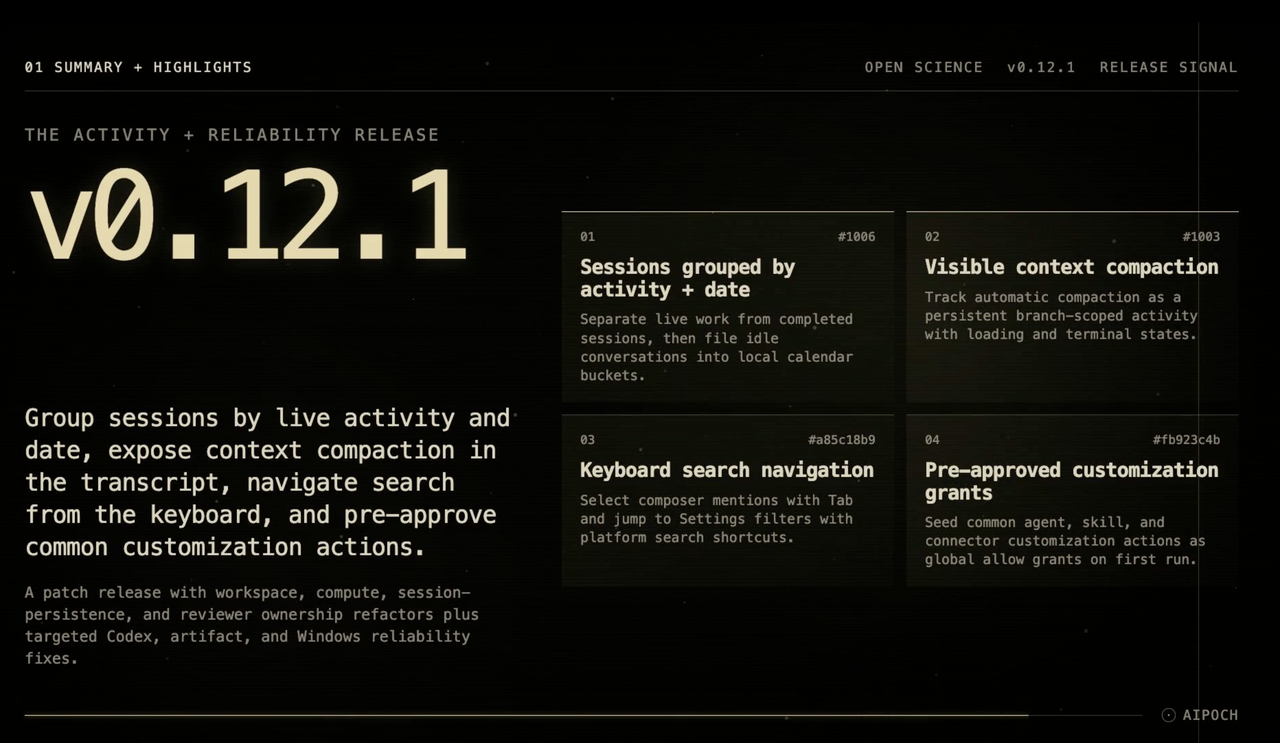
Open Science v0.12.1 is now available.
Open Science is an open-source, model-agnostic AI workbench for scientific discovery. It combines plan-and-execute AI agents with persistent compute environments, durable project and session storage, and inspectable research artifacts.
A patch release that groups sidebar sessions by live activity and calendar buckets, surfaces context compaction as a visible transcript activity, adds keyboard-driven search navigation and pre-approved customization grants, and fixes Codex MCP approval routing, ask-user question presentation, thinking elapsed time, artifact finalization stalls, and Windows notebook runner crashes — while the workspace, compute, session-persistence, and reviewer ownership refactor continues.
What’s new in Open Science v0.12.1
Find active and recent sessions more easily
Research projects often contain many conversations running at different stages. Some may still be executing, while others are waiting for permission, user input, or plan approval.
Previously, completed and inactive conversations could accumulate under a single Active label, making it difficult to identify the sessions that still required attention.
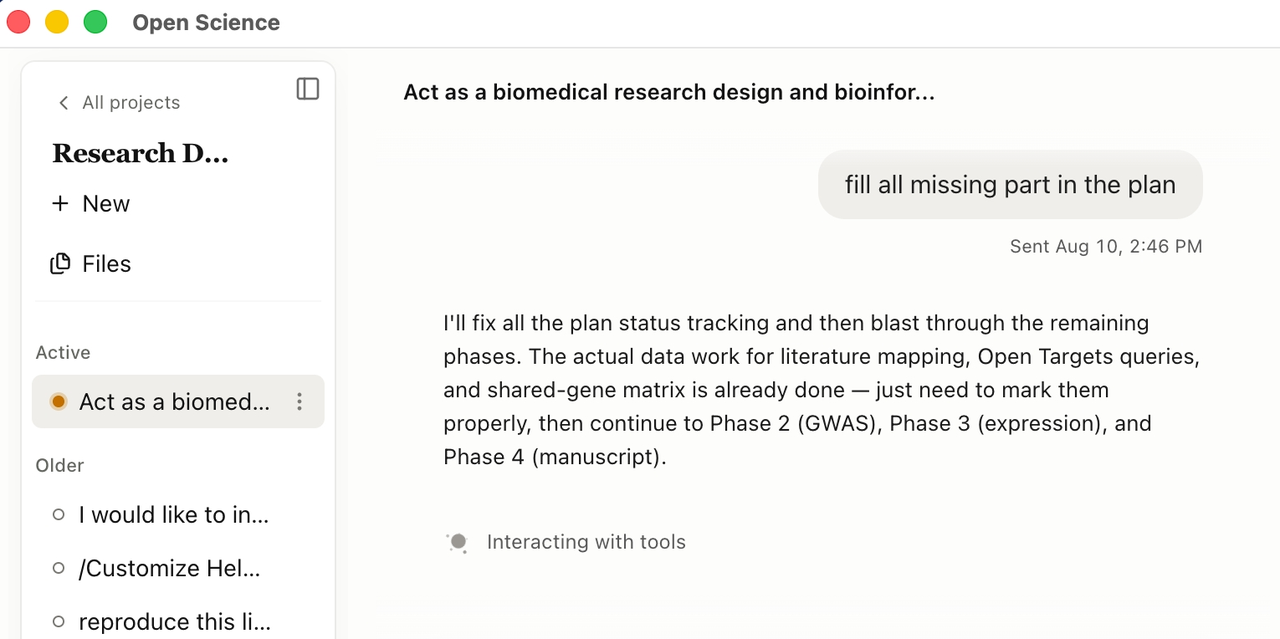
Open Science v0.12.1 now organizes workspace sessions into the following groups:
- Live: The workspace sidebar now distinguishes live work (running, waiting-on-user, waiting-permission, waiting-plan-approval) from recently completed sessions
- Today: Sessions completed or made inactive today
- Yesterday: Sessions from the previous local calendar day
- This week: Other recent sessions from the current week
- Older: Earlier sessions
An idle session remains in Active for a 15-minute grace period before moving into the appropriate date group. Pinned sessions remain at the top and are not placed in Active.
This separation makes it easier to distinguish work that requires immediate attention from research that has already been completed.
See context compaction as it happens
A user might notice that the agent had paused without knowing whether it was managing context, waiting for a tool, or encountering an error.
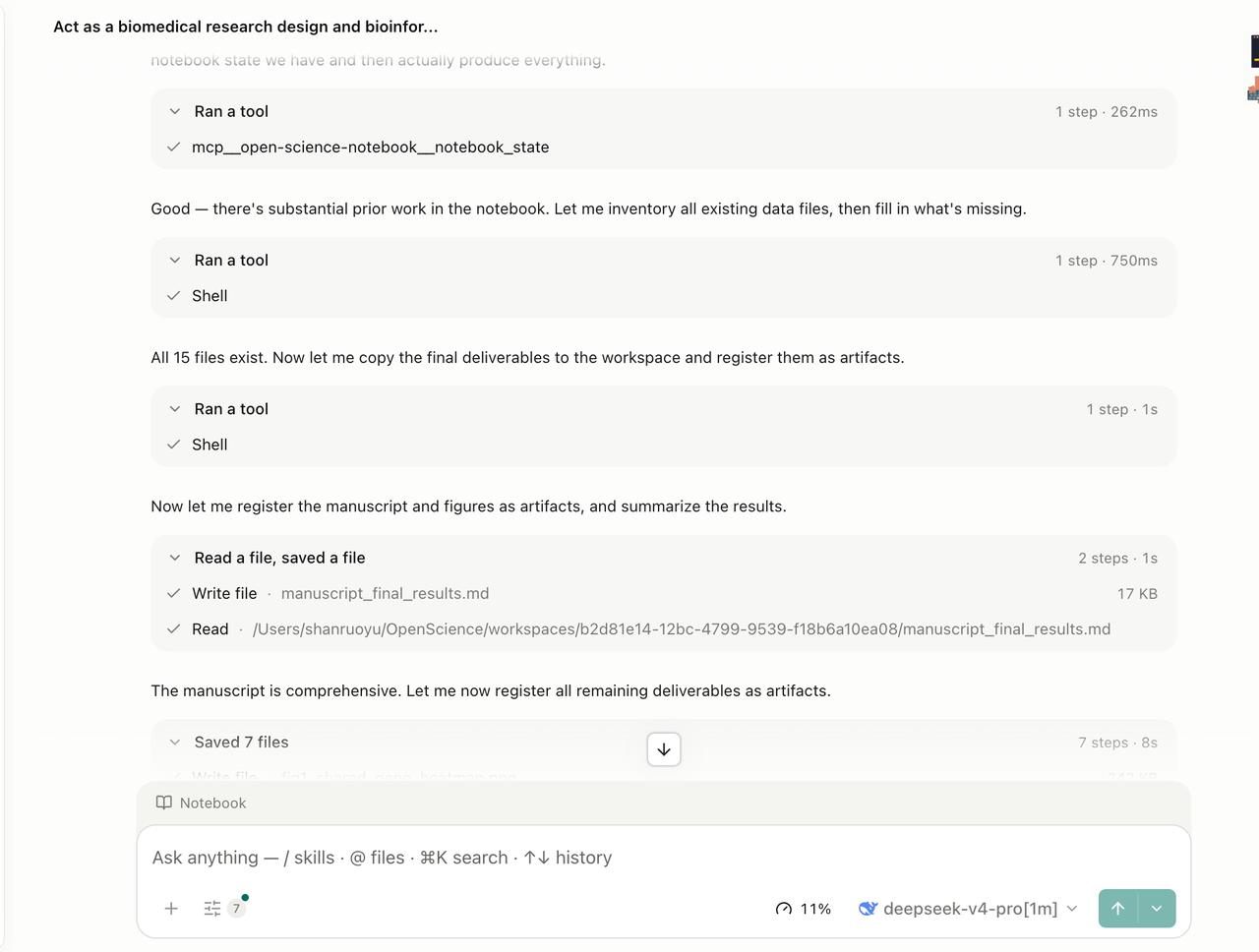
Open Science v0.12.1 makes automatic context compaction visible in the session transcript with loading, completed, cancelled, and failed states across all supported agent frameworks.
App-owned compaction lifecycles (Claude Code, OpenCode) and Codex structured context-compaction events are normalized into one correlated runtime event that persists alongside the session.
Navigate search results with the keyboard
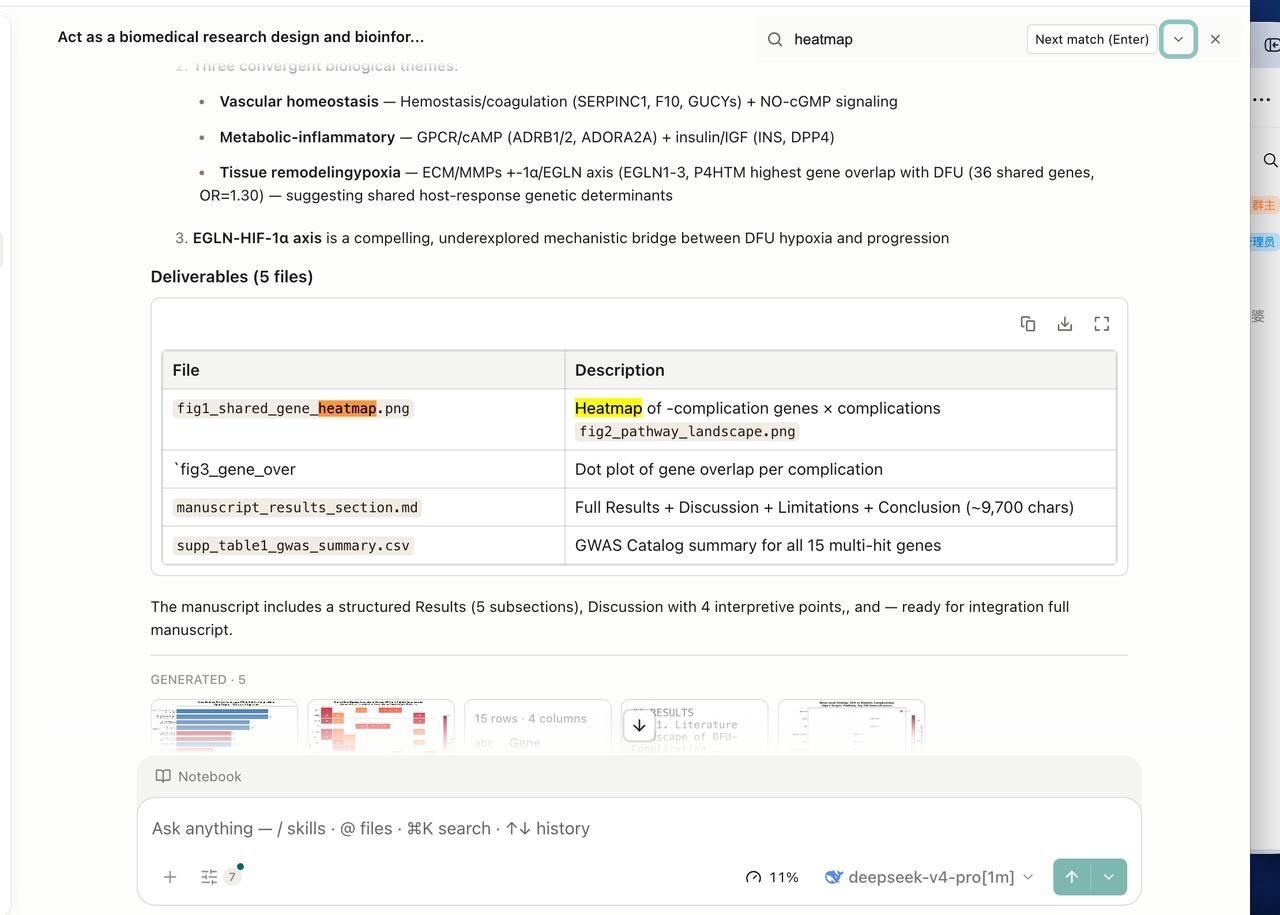
Version 0.12.1 also improves keyboard-based navigation across the application.
Users can now:
- Press Tab to select results from the composer’s mention search
- Use platform search shortcuts to reach filter fields in Settings
- Continue using application-level shortcuts when a Settings search is hidden or closing
These are small changes, but they can reduce friction for users who frequently switch between files, agents, skills, connectors, and configuration options.
Pre-approved customization grants
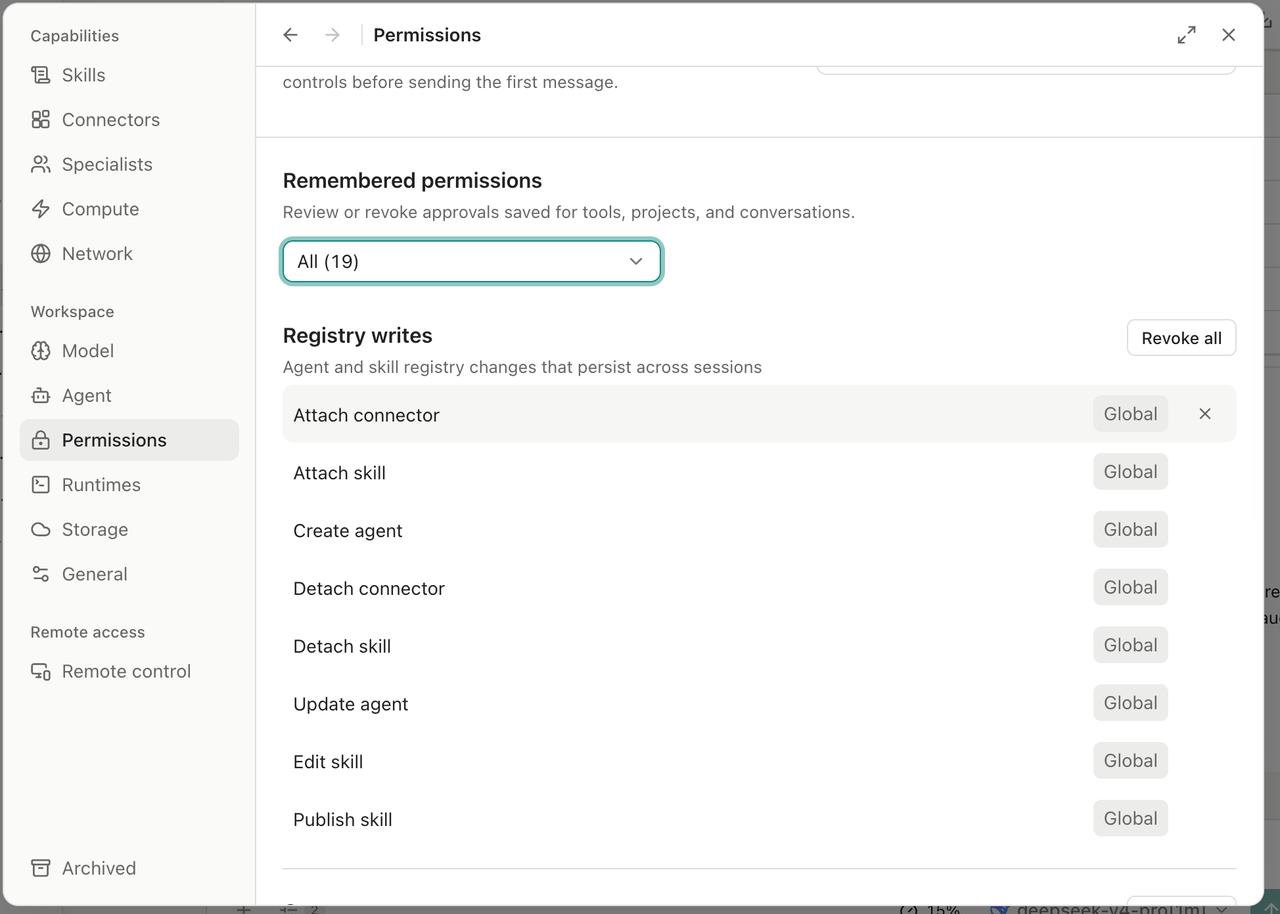
Common agent, skill, and connector customization actions are seeded as global allow grants on first run through an idempotent migration, so personalization flows are not interrupted by repeated approval prompts.
Bug Fixes
On the fix side it routes Codex MCP tool approvals through the permission broker instead of showing a non-actionable ask-user card, normalizes structured clarification presentation so only the product-owned question card remains, preserves thinking elapsed time across view remounts, prevents stale session saves from clobbering the live conversation graph and stalling artifact finalization, and detects a crashing bundled runner on Windows to preflight and fall back to a compatible alternative.
Under the hood it continues the ownership refactor — extracting workspace-page panel layout, composer state, and session controllers, compute host-profile, remote-operation, and job-workflow owners, and reviewer session-driver, assessment, and fix-loop owners.
Download Open Science v0.12.1
Requirements: macOS 12+ (Apple Silicon or Intel), Linux x64, or Windows 10/11 x64. On first run, the onboarding wizard checks the environment and can install and configure an app-managed agent runtime. Once installed, the app can update itself in place.
Download the appropriate package from the Assets section below:
macOS — first launch. Official release builds are Developer ID signed and notarized by Apple, so they open like other trusted applications. A locally built copy is not notarized and may require approval through macOS Privacy & Security.
Windows — first launch (unsigned build). No Authenticode certificate yet, so SmartScreen shows a bypassable "unrecognized app" prompt (More info → Run anyway). Verify that the package came from the official release page before continuing.
View the complete v0.12.0–v0.12.1 changelog
Current limitations
The following product limitations still apply in v0.12.1:
- Remote compute currently supports SSH, but not Slurm or cloud GPU execution
- Hot-switching applies only to registered compatible targets.
- Skills remain local and do not yet have a public sharing marketplace
- Switching agent backends cannot transfer in-flight tool state
- Code reconstruction is LLM-generated.
- The reviewer is opt-in and does not replace expert validation of citations, units, statistics, or scientific methods
- Specialist roles are personal-only.
- Windows builds are not yet Authenticode-signed
- Local GPU compute is not available
- Multi-user real-time collaboration is not yet supported
See the official v0.12.1 release notes for the complete maturity assessment, known limitations, engineering changes, and roadmap.