Open Science is an open-source, local-first, model-agnostic, self-hosted AI research workbench for traceable and inspectable scientific workflows. Its Artifact Version and Provenance features keep each generated output connected to the production evidence the system could verify.
A research result is more useful when you can inspect how it was produced. A table copied from a chat, a figure downloaded from a temporary preview, or a report saved over an older file may preserve the final output while losing the process behind it. When the producing code, inputs, and environment are not recorded, later reviewers—and even the original author—can struggle to verify or continue the work.
Open Science addresses this problem with two related concepts:
- Artifact Version preserves a specific output as immutable, checksummed content.
- Provenance exposes the production evidence Open Science could verify for that version.
Together, they make research outputs easier to inspect, compare, review, and continue. They do not prove that a result is scientifically correct, and they do not yet guarantee deterministic reproduction. Their purpose is to preserve a more honest and useful record of what happened.
What Is an Artifact in Open Science?
An Artifact is a file produced during a research session and registered as part of the project record. As of Open Science v0.11.1, an Artifact may be a report in Markdown, HTML, PDF, or an Office format; a table in CSV, Markdown, or spreadsheet form; a figure or image; a Python or R script; a processed dataset; a Notebook-related output; or another generated file that the project can store and preview.
Artifacts remain associated with the session that produced them and are also collected in the project file library. They can be previewed, downloaded, and referenced in later work. The important distinction is that an Artifact is not only a link to “the latest file.” Open Science stores generated artifacts as versions so that later output does not silently erase the earlier record. This versioning step is the final stage of the Plan-Execute-Artifact workflow.
What Makes an Artifact Version Immutable?
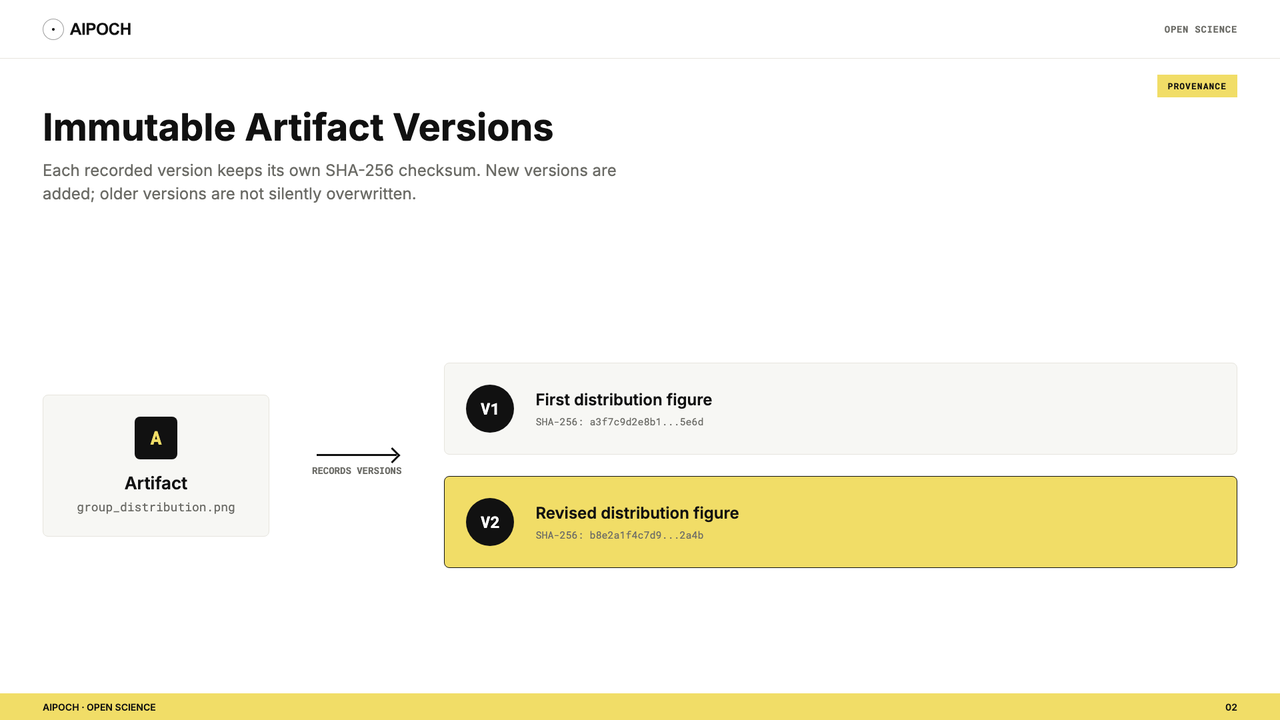
When Open Science records an Artifact version, that version represents a specific set of file bytes. The stored version is immutable: it is not rewritten in place when the agent later regenerates or changes the output. This creates a simple but important rule: a changed result should become another version, not a silent replacement of the earlier result.
Each version also has a checksum—a SHA-256 fingerprint calculated from its content. If the file bytes change, the checksum changes. This helps Open Science distinguish versions and detect whether the selected content still matches the stored record. A checksum does not show that the analysis is correct. It only helps establish content identity and integrity. A statistically invalid table can still have a perfectly valid checksum.
What Can Provenance Show?
Open an Artifact's Provenance view to inspect the evidence available for the selected version. Depending on how the Artifact was produced, that evidence may include the following:
| Evidence | What it helps you answer |
|---|---|
| Producer code | What code was available for producing this output? |
| Execution history | Which recorded code runs or commands contributed to the result? |
| Exact input references | Which project files were referenced as inputs? |
| Environment inventory | Which interpreter and installed packages were observed? |
| Producing message branch | Which conversation path led to this version? |
| Reviewer findings | What did the optional Reviewer report for this specific version? |
| Checksum | Do these bytes match the stored Artifact version? |
Open Science only displays evidence it can support from the record. If an input, execution link, environment observation, or producer detail cannot be verified, the Provenance view shows that evidence as unavailable rather than inventing it. That distinction matters: Provenance is valuable because it exposes both what is known and what is missing.
How Does a Real Version Comparison Look?
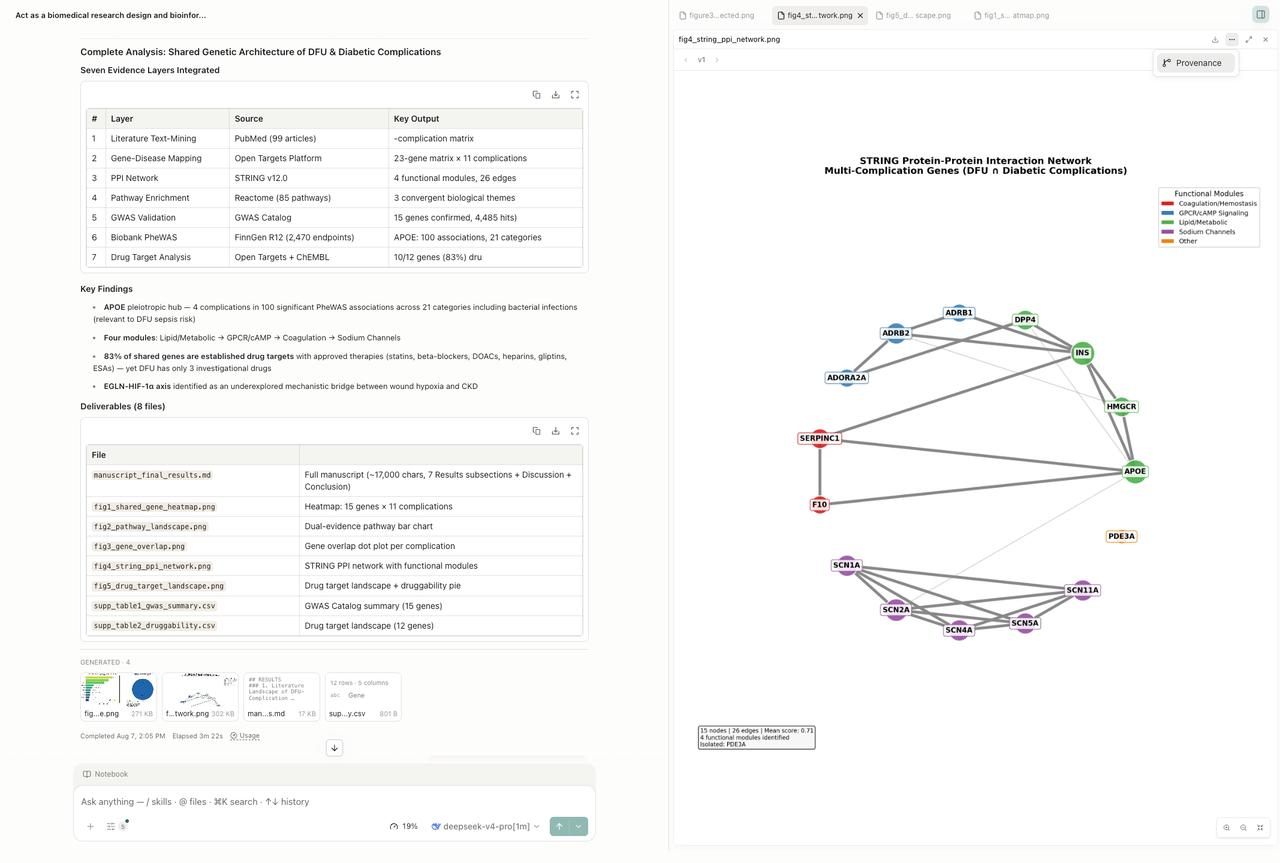
Imagine that a project contains experiment_results.csv. You ask the agent to summarize two groups and generate a distribution figure. The first task produces group_summary.csv, group_distribution.png, and a short Markdown report. After reviewing the figure, you decide that individual observations should be displayed alongside the distribution. You revise the request and generate a second version of the figure.
Open Science can retain the earlier Artifact version instead of overwriting it. You can move between the versions and inspect the available evidence attached to each one. This lets you answer questions such as:
- Did both figures use the same input file?
- Was the plotting code different?
- Did the environment inventory change?
- Did the second result come from the original conversation path or another branch?
- Did the Reviewer flag a problem for one version but not the other?
The two PNG files may look similar, but their version and Provenance records make the history visible.
Why Does Branch Context Matter?
Research rarely follows one straight path. You may edit an earlier prompt to try another threshold, statistical method, data filter, or figure design. Open Science creates a selectable message branch rather than deleting the original downstream path. Artifact Provenance remains associated with the branch that produced the selected version.
This prevents a common ambiguity: an output from one analysis path should not appear to have been produced by another path simply because both live in the same project. A branch link does not tell you which approach is scientifically preferable. It tells you which recorded conversation path belongs to the Artifact.
How Are Reviewer Findings Scoped?
Open Science includes an optional Reviewer that can audit a completed turn against its transcript, execution log, and artifacts. It reports pass, warn, or fail findings and can run a bounded correction loop when enabled. Reviewer evidence is associated with the Artifact version it evaluated. If a later version changes the figure, table, or report, findings from an earlier version should not be treated as proof that the new version passed the same review.
The Reviewer is also record-scoped. It can inspect the evidence available inside the task record, but it does not replace domain-expert review, statistical validation, verification of citations or units against primary sources, or independent replication of the result.
How Does Open Science Handle Missing Producer Code?
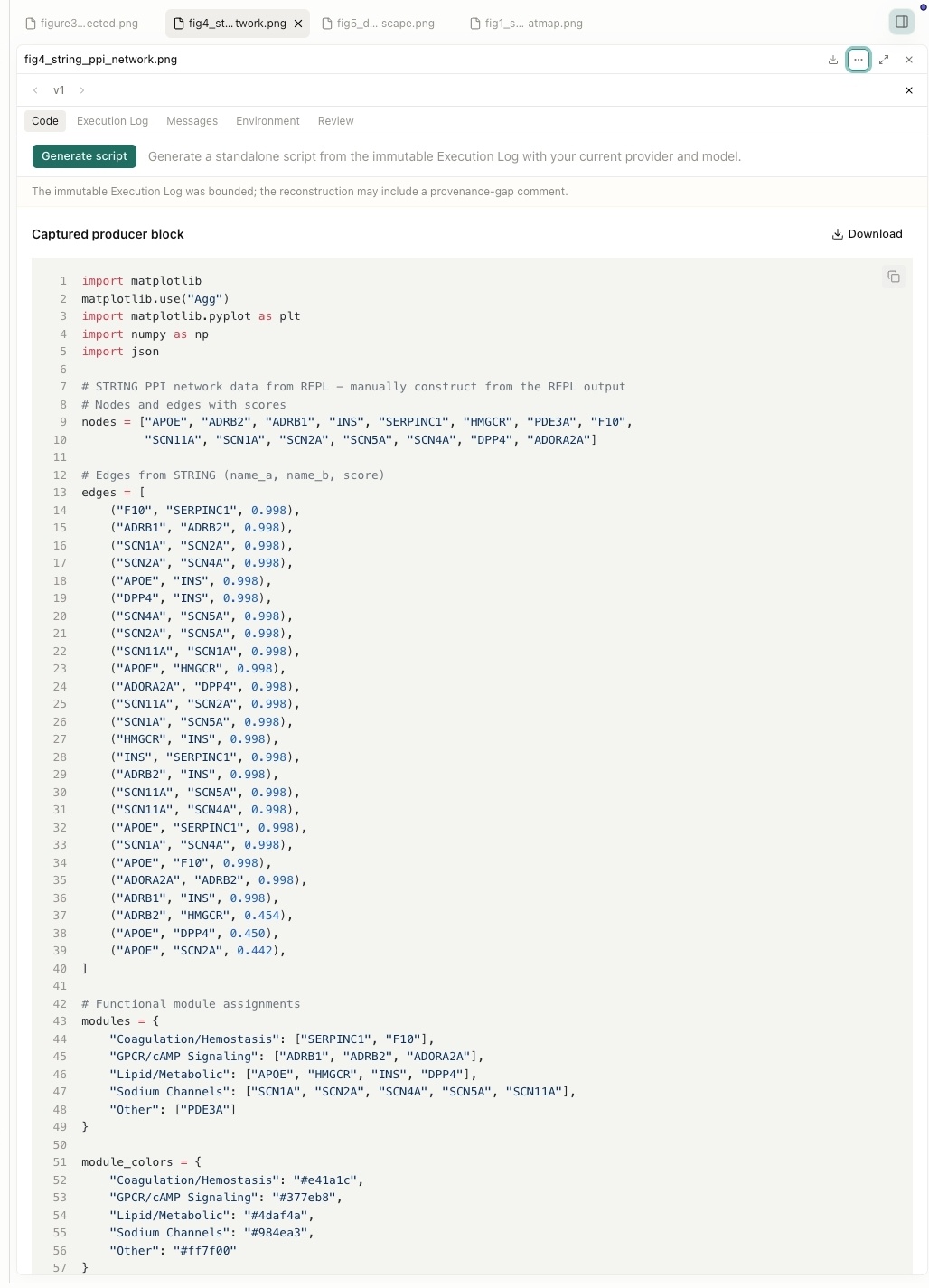
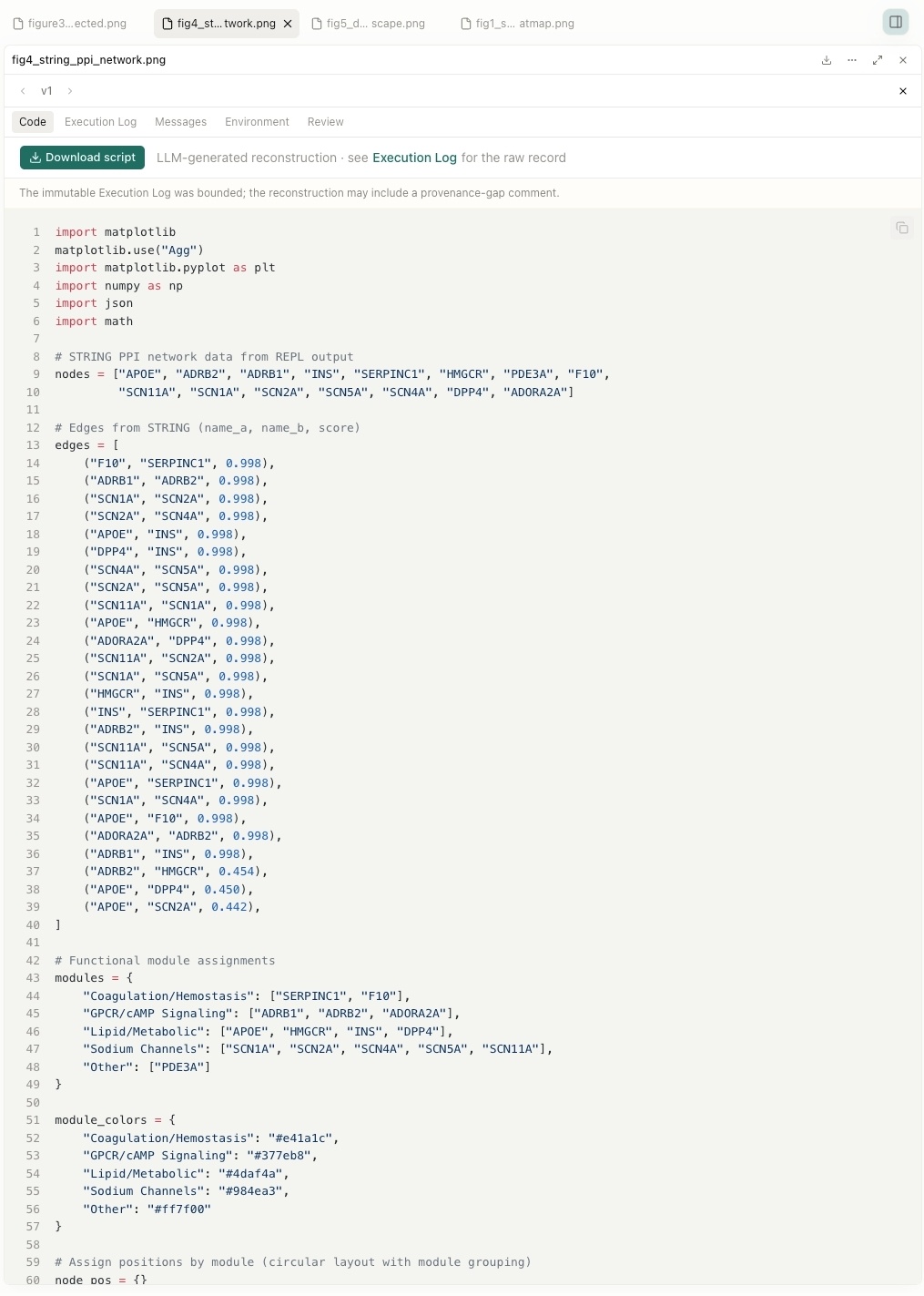
Not every Artifact version retains directly visible producer code. When producer code is unavailable, the Provenance view marks that evidence as unavailable rather than generating a placeholder. Starting in v0.11.1, Open Science can generate a standalone reconstruction script on demand from a bounded set of immutable execution evidence associated with an artifact version. The script is produced in an isolated, one-shot session without tool access, using the currently selected provider and model. No generation begins until the researcher selects Generate script. Because the output is LLM-assisted, it should be reviewed and validated before use.
Generate Script: Before and After
Before:
After:
This feature has an important boundary:
Reconstructed code is an LLM-assisted reconstruction based on available evidence. It is not proof that the exact original source code was recovered.
The reconstruction should therefore be inspected, compared with the recorded execution history, and tested before reuse. It does not close the current gaps around deterministic reconstruction or full-fidelity replay.
How Is Provenance Different from Reproducibility?
These concepts are related, but they are not interchangeable. As of v0.11.1, Open Science supports traceability and auditability more strongly than deterministic reconstruction.
| Capability | What it establishes | What it does not establish |
|---|---|---|
| Immutable Artifact version | The stored output version is not silently rewritten | The output is scientifically valid |
| Checksum | The selected bytes match the recorded content fingerprint | The analysis method was appropriate |
| Input references | The record points to identified project inputs | External data will remain available forever |
| Code and execution history | Available production actions can be inspected | Every hidden dependency has been captured |
| Environment inventory | The observed runtime and packages are recorded | A portable environment lock can be restored elsewhere |
| Branch context | The producing conversation path is identifiable | The branch contains every fact needed for replication |
| Reviewer evidence | The recorded turn received a scoped audit | The result passed domain or peer review |
Portable environment restoration and full-fidelity session replay remain roadmap items. The Open Science Roadmap explicitly separates traceability from deterministic reproduction so that users do not mistake an audit record for a guarantee.For a broader view of how to evaluate claims made by scientific agents, see New Rules for Verifying Scientific AI Agents.
How to Review an Artifact Responsibly
When evaluating an important result, use the Artifact record as a starting point:
- Select the correct Artifact version. Confirm that you are reviewing the intended output rather than only the newest file.
- Check the checksum and version history. Distinguish content identity from scientific validity.
- Inspect referenced inputs. Confirm that the files match the intended dataset and revision.
- Review code and execution evidence. Look for data filters, parameters, warnings, errors, and reruns.
- Inspect the environment inventory. Note interpreter and package versions that may affect behavior.
- Check the producing branch. Confirm which prompt path and assumptions belong to the output.
- Read Reviewer findings if enabled. Treat them as record-level checks, not expert validation.
- Record what remains unavailable. Do not fill missing evidence with assumptions.
- Independently validate the method and interpretation. Provenance cannot make that decision for you.
What Are the Current Boundaries?
As of Open Science v0.11.1:
- Artifact versions are immutable, checksummed, and session-scoped.
- Available producer code, execution history, input references, environment inventory, branch context, and version-scoped Reviewer findings can be linked in Provenance.
- Missing evidence is explicitly represented as unavailable.
- On-demand code reconstruction is available in the Provenance Code tab as an LLM-assisted, user-triggered reconstruction; it does not replace deterministic reproduction.
- An environment inventory is an observation, not a portable dependency lock.
- Deterministic reconstruction, portable environment restoration, and full-fidelity session replay are not yet complete.
- Scientific validity still requires researcher and domain-expert judgment.
Conclusion
Artifact Versions and Provenance give Open Science results a durable place in the research record. Instead of treating a report, table, or figure as an isolated download, Open Science keeps a specific content version and links it to the production evidence the system could verify.
That record makes it easier to compare revisions, trace an output to its inputs and execution, navigate alternative branches, and identify missing evidence. It supports reproducibility work without pretending that storing metadata automatically reproduces or validates the science. To explore the feature, create a small project in Open Science from AIPOCH, generate an Artifact, revise the task once, and compare the two versions in the Provenance view.
Frequently Asked Questions
Does immutable mean I cannot improve an Artifact?
No. You can always generate a new version or another file. Immutability only means the recorded version is not silently overwritten.
Does a checksum prove that a result is correct?
No. A checksum identifies file content; it does not validate the code, statistics, assumptions, or interpretation.
Does Provenance guarantee that another researcher can reproduce the output?
No. Provenance preserves verified evidence and marks gaps. Exact reconstruction may still depend on unavailable inputs, external services, package versions, random state, or other factors.
What happens when producer code is unavailable?
The Provenance view marks it as unavailable. Starting in v0.11.1, you can generate a reconstruction script on demand from the immutable execution evidence. Because it is LLM-assisted, it must be reviewed and tested before reuse.
Can the Reviewer verify the scientific conclusion?
No. The Reviewer audits the task against its own record. It does not replace domain expertise, statistical review, or verification against primary evidence, and its findings apply only to the version it evaluated.
Disclaimer
This article describes Open Science's Artifact Version and Provenance features for research workflow support. It does not constitute validated scientific conclusions, and any sample outputs or workflow steps shown are illustrative.
Open Science is a research workflow tool. It does not replace researcher judgment, and researchers remain fully responsible for evaluating the accuracy, completeness, and appropriateness of any outputs generated. All outputs require independent verification and expert interpretation before use in any research context.
References and external links in this article are provided for informational purposes. AIPOCH does not endorse and is not responsible for the content of third-party sources.
Verified against the v0.11.1 release notes and default-branch snapshot d4c8ee1e. Interface details may change; refer to the installed app and current release notes.