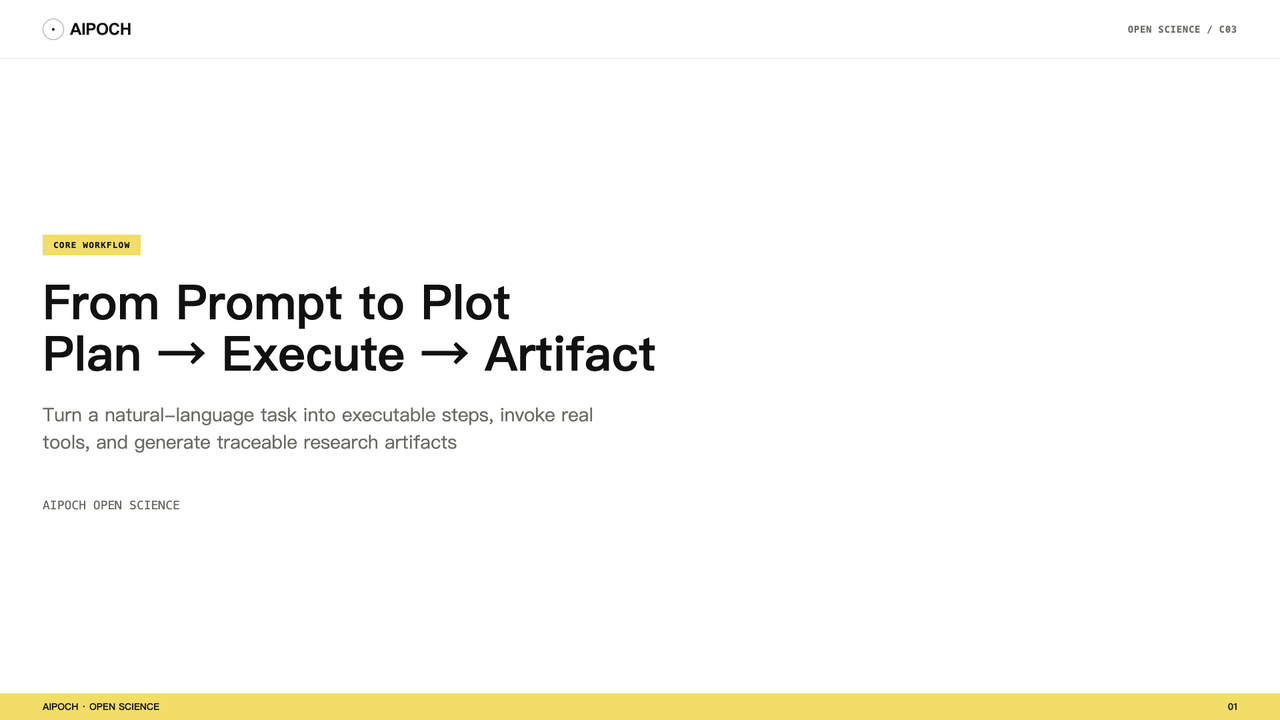
Open Science is an open-source, local-first, model-agnostic AI research workbench maintained by AIPOCH. This article explains Open Science's central working pattern: Plan → Execute → Artifact. It is a conceptual model for understanding how a research task moves through the workbench, not a rigid three-screen interface.
Why "AI Only Gives Advice" Is Not Enough for Research
Researchers often face a gap when using general-purpose AI chat tools: the model may answer eloquently, but the task is not actually finished. Ask it to analyze a dataset and it returns an analysis outline. Ask it to draw a figure and it describes what the figure should look like. Ask it for code and the code sits in a chat bubble, leaving you to copy it out, configure the environment, fix dependencies, and run it yourself.
The final research output ends up scattered across prompts, replies, scripts, figures, and spreadsheets. A 2016 Nature survey of 1,576 researchers found that more than 70% had tried and failed to reproduce another scientist's experiments. The survey does not attribute those failures to any single cause, but it illustrates why transparent methods and inspectable research records matter.
Open Science's agent behaves differently. It follows a Plan → Execute → Artifact loop: start from a natural-language task, organize it into executable actions, invoke real tools, and produce an inspectable research artifact whose provenance evidence you can review.
Plan → Execute → Artifact Is a Conceptual Model
Plan → Execute → Artifact is a way to talk about how work moves through Open Science, not a guarantee that every task will first produce a complete plan and then display each planned step as a card.
- Plan: you describe the research goal, input data, constraints, expected output format, and how the result should be validated. The agent uses this to organize the task into a sequence of actions.
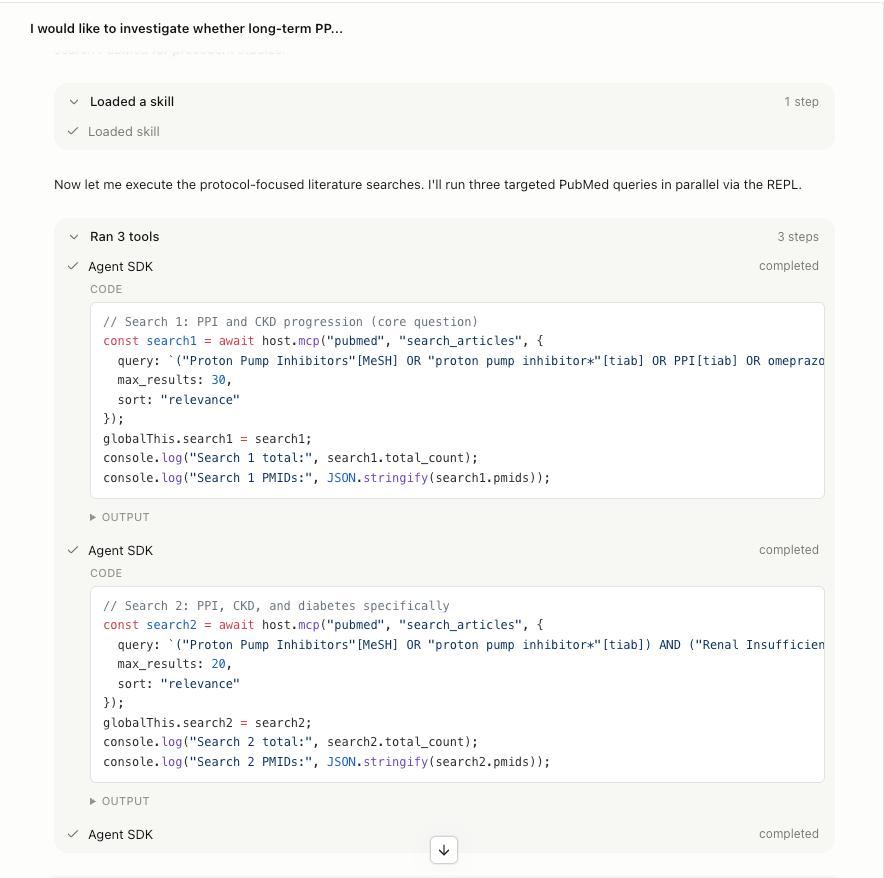
- Execute: the agent calls tools. File reads, commands, code runs, searches, and connector calls appear as inspectable activity cards in the session.
- Artifact: the output is saved as a versioned project file. Its Provenance view shows the evidence Open Science was able to verify.
Plan: Define the Goal, Inputs, Constraints, and Validation
In Open Science, you do not need to write a perfect prompt in one shot. You describe what you want done, what data the agent should use, and what form the output should take.
For example, you might ask:
"Read @experiment_results.csv, check data quality, compare the reported group difference, generate a summary table and a plot, and note what would still need to be verified before drawing a conclusion."
The agent uses this description to organize the task into a sequence of actions. It may propose reading the file, inspecting distributions, selecting a statistical comparison, running code, and saving the outputs. The exact form of that organization depends on the task, the model, and any selected Skill.
Execute: Invoke Tools, Not Just the Model
After planning comes execution. The Open Science agent can call multiple tools to turn the task into real actions.
Read project files
The agent references files in the project library with @filename. Read actions are logged, including which files were read and whether only a preview was loaded. In v0.10.1, Open Science adds oversized-file context protection: large text files and compute datasets stay on managed disk instead of being eagerly inlined into the model context, so the agent can still access full data through notebook or shell execution without overflowing the context window.
Search and query
The agent can perform web searches or call built-in connectors to query scientific databases such as PubMed, UniProt and ChEMBL. Each query's parameters and returned summary are shown in an activity card.
Run Python / R code
Code generated by the agent is sent to the project's notebook kernel. Execution results, stdout, stderr, and figure outputs are preserved. You can inspect the code, check the runtime environment, and manually modify and rerun it when needed. Open Science supports persistent Python, R, and REPL execution environments, as well as remote SSH compute hosts.
Edit files and generate artifacts
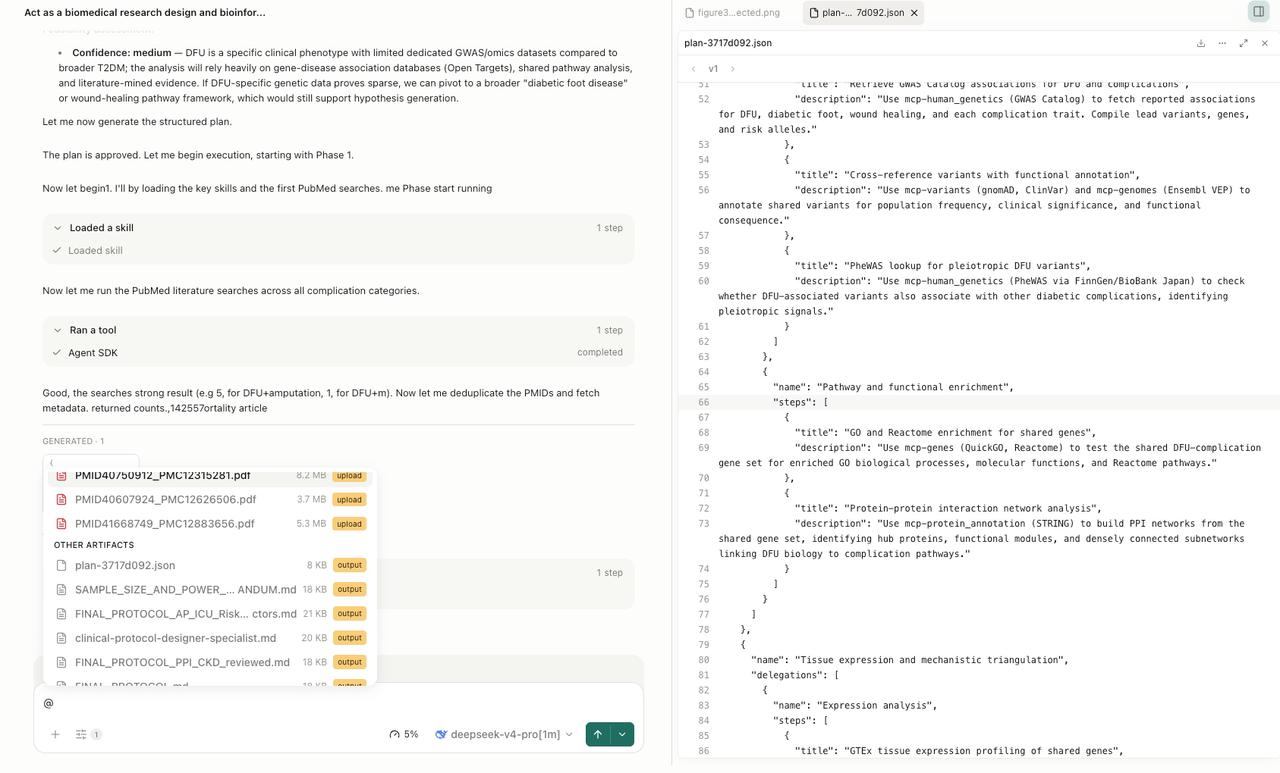
When a task requires modifying or creating files, the agent proposes specific edits. After execution, the agent saves the output as an Artifact: data tables, visualizations, reports, or reusable scripts. These artifacts land in the project file library alongside the raw data, code, and session history.
Artifact: Output Plus Inspectable Provenance Evidence
In traditional chat tools, generated figures and tables often live only inside message bubbles. Once copied out, the source file, generation parameters, and code version are lost. Open Science treats an Artifact as a durable project record.
An artifact version can link to the production evidence Open Science was able to verify, including referenced inputs, code and execution history, environment inventory, producing branch, and reviewer findings when available. You can inspect the available evidence behind the artifact rather than relying only on the agent's final explanation.
Open Science's Provenance view displays the evidence it can verify. Evidence that cannot be verified is explicitly marked unavailable rather than filled in by guesswork.
How Plan → Execute → Artifact Works with Other Modules
Plan → Execute → Artifact is not an isolated loop; it depends on other Open Science modules.
- Project / Session provides durable context so a task can continue across sessions.
- File library stores input files and generated artifacts, supports files up to 10 GB, and enables
@references. - Execution environment provides Python / R / REPL kernels so code actually runs.
- Skill gives the agent reusable research methods.
- Connector lets the agent query external scientific databases.
- Permission system controls whether the agent can edit files, run commands, or access the network.
- Reviewer can audit the execution chain after a task completes, when enabled.
A Worked Example
Imagine you have a public dataset experiment_results.csv and want to explore whether a reported group difference is visible in it. In Open Science, you might:
- Create a project named "Group difference exploration 2026-08."
- Upload the dataset
experiment_results.csv. - Start a session, pick a model, and set permissions to Ask.
- Send the task:
"Read @experiment_results.csv, check data quality, compare the reported group difference, generate a summary table and a plot, and note what would still need to be verified before drawing a conclusion."
- The agent organizes the task and begins showing activity cards.
- You inspect file-read activity and approve commands, network access, connector calls, or file changes when Open Science prompts you.
- The agent produces a summary table and a plot as Artifacts.
- You open the artifact preview, inspect the table and plot, and review the available Provenance evidence.
If you later decide to try a different statistical approach, you can continue in the same session or a new branch while the original artifacts, code, and records remain intact.
What Still Requires Researcher Review
Open Science does not replace researcher judgment. Even when the agent executes code and produces artifacts, you remain responsible for:
- Method choice: the agent may suggest a statistical test, but you decide whether its assumptions fit the data.
- Result interpretation: a visible group difference does not automatically justify a scientific conclusion.
- Environment configuration: code execution depends on a Python / R environment you set up; required packages may need manual installation.
- External validation: built-in connectors cover many scientific databases, but not every source, and custom MCP Connectors require configuration.
Conclusion
Plan → Execute → Artifact is Open Science's core working pattern. It turns "asking the AI a question" into "organizing a research task, executing real tools, and saving an inspectable artifact." The entire process happens inside a local-first project space where you can review activity cards, switch models, branch conversations, and inspect available provenance evidence.
To try it yourself, download the latest release from the Open Science GitHub repository or visit the Open Science product page for an overview.
This article is based on the public README and v0.10.1 Release of aipoch/open-science; interface details may change with newer versions, so refer to the installed app as the source of truth.
Frequently Asked Questions
What is Open Science's Plan → Execute → Artifact workflow?
It is a conceptual model for how Open Science handles a research task: Plan organizes the task from your description, Execute invokes real tools, and Artifact saves a versioned output with inspectable provenance evidence.
How does Open Science turn a prompt into an artifact?
The agent reads your description, organizes the task into actions, runs file reads, searches, code, and edits as needed, and saves the result as an Artifact in the project file library.
What evidence can Open Science artifact provenance show?
Provenance can show referenced inputs, generating code, execution history, environment inventory, producing branch, and reviewer findings when available. Unverifiable evidence is marked unavailable.
How does Open Science's Ask approval mode work?
In Ask mode, Open Science prompts you before executing commands, accessing the network, calling connectors, or making file changes. File reads are logged and visible, but they do not require a separate approval step.
Does Open Science replace researcher judgment?
No. Open Science is a research workflow tool. The agent can assist with execution and organization, but method selection, result interpretation, and scientific conclusions remain the researcher's responsibility.
Disclaimer
This article is intended for informational purposes only and does not constitute validated scientific conclusions. Sample data, workflow outputs, and parameter values shown are illustrative and do not represent any validated research finding.
Open Science is a research workflow tool. It does not replace researcher judgment, and researchers remain fully responsible for evaluating the accuracy, completeness, and appropriateness of any outputs generated. All outputs require independent verification and expert interpretation before use in any research context.
References and external links in this article are provided for informational purposes. AIPOCH does not endorse and is not responsible for the content of third-party sources.