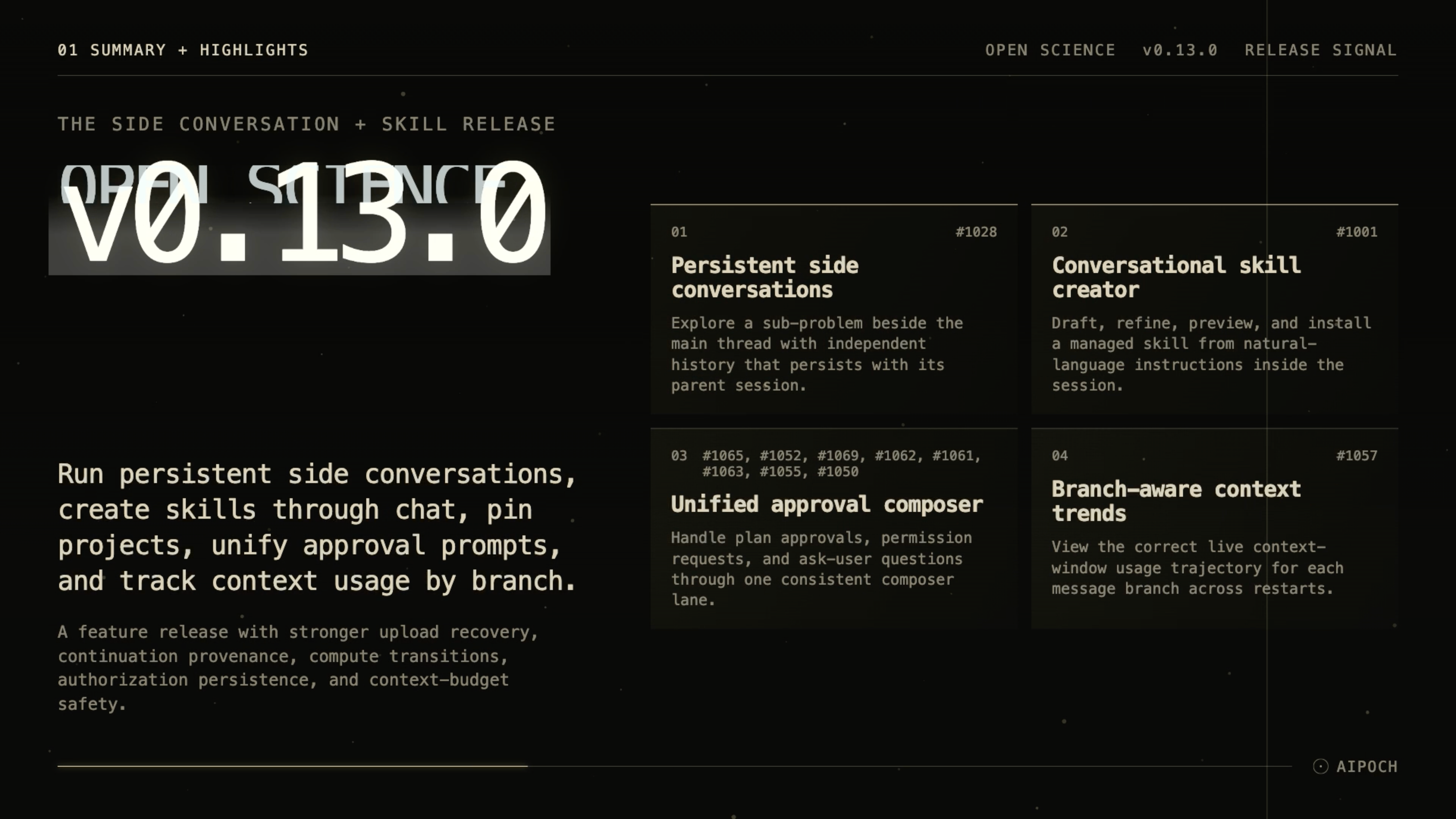
Open Science v0.13.0 is a feature release that keeps your research sessions flowing. You can now open persistent side conversations to explore tangents without interrupting the main thread, turn repetitive instructions into reusable skills by describing them in plain language, pin the projects you care about to the top of Home, and handle every blocking prompt — plan approval, permission request, or question — in a single, consistent composer lane. Under the hood the release hardens compute job transitions, preserves continuation provenance across restarts, and keeps notebook prompts and binary attachments within safe bounds.
What new capabilities help researchers stay in flow?
Persistent side conversations
A lightweight side conversation can now be opened alongside a session's main thread — same project, same agent, independent history. When a follow-up question, quick experiment, or side hypothesis pops up, you no longer have to either derail the main transcript or open a whole new session. Open Science now lets you open a side conversation inside the current session: same project, same agent runtime and compute kernel, but its own independent message history and activity log. Side conversations are listed, selectable, and persist across restarts, so you can explore freely and return to the main thread exactly where you left off.
Conversational skill creator
The agent can now draft, refine, and install a new skill from a natural-language description inside the session.
If you find yourself typing the same kind of request again and again, you can now tell the agent to make it a skill.
Describe what you want in natural language, and the agent drafts the skill body, metadata, and file references, previews the result, and installs it into your managed skill directory on confirmation. "I keep doing X, make it a skill" becomes a single turn.
Unified plan-approval composer
Plan approvals, permission requests, and ask-user questions are now consolidated into a single composer lane with consistent layout, status chrome, and keyboard interaction. Blocking prompts no longer scatter across the workspace surface; question progress, custom-answer capture, and auto-review divider placement are aligned across all three interaction types.
Branch-aware context-window run trends
The context-usage indicator now carries a per-branch run-trend visualization, so switching between message branches shows the correct usage trajectory instead of a single global line. Trends update live as runs complete and persist across restarts, making it easier to spot which branch is consuming context and when.
What else is new in v0.13.0?
Project pinning
Your most important projects can now be pinned to the top of the Home dashboard, so they stay visible regardless of alphabetical or recency ordering. Pinned projects persist across restarts, giving you a stable launchpad for the work you return to most often.
Session keyboard shortcuts
Common session actions — switch, pin, archive, and new session — are now reachable from keyboard shortcuts in the workspace sidebar.
Notebook host capability introspection
The agent can discover what the notebook runtime environment actually supports (available kernels, installed packages, display capabilities) before issuing commands, reducing failed runs from unsupported operations.
Customize sidebar entry
The workspace sidebar now has a direct Customize entry that opens the personalization flow without typing /customize. Specialist, skill, and connector customization is now one click away instead of a command away.
User-waiting message indicators
When the agent is blocked waiting for your input, the transcript now shows a visible indicator on that message row, so you can see at a glance which turn needs your attention.
Refined session update cards
The Home dashboard cards for running, needs-you, aand unread completed sessions have been refined with aligned status colors, motion, and clearer project-name attribution, making it easier to parse the state of your workspace at a glance.
Bug fixes that affect daily use
- Restored missing immutable upload bytes — cross-branch artifact claims could lose their immutable upload bytes when the producing branch was compacted or the session was restored from a durable snapshot. The upload authority now retains the original bytes independently of branch lifecycle, so restored artifacts resolve correctly.
- Preserved restored continuation provenance — when a session resumes after a compaction or reconnect, the continuation provenance (which turn produced which artifact, which message branch owns which claim) is now preserved instead of being reset to a default state, preventing stale or detached claims.
- Codex reviewer approvals routed through elicitation — Codex reviewer tool approvals that were previously delivered as ordinary MCP updates are now routed through the elicitation flow with an approval marker, so they surface as actionable blocking cards instead of non-actionable activity rows.
- Legacy provider sessions recovered — sessions created under a previous provider configuration that were missing expected runtime metadata are now recovered on load instead of being dropped.
- Restored MCP activity preserved — MCP tool activities that were part of a restored continuation are no longer stripped from the transcript, so the activity history remains complete after a resume.
- Custom-answer value captured before state updater — when a user types a custom answer in an ask-user card, the value is now captured before the state updater runs, preventing the answer from being lost to a concurrent re-render.
- Unsupported binary files kept out of provider prompts — binary files that the provider cannot process as text or image are now filtered before prompt assembly, preventing provider errors from unsupported content types.
- Notebook prompt kept within context budget — the notebook preamble and context are now bounded against the configured context window, preventing oversized notebook context from overflowing the provider's limit.
- Ask-user turn usage aggregated — token usage from ask-user interactions is now correctly aggregated into the turn usage footer instead of being dropped.
- Preview file tabs widened — file-preview tabs were too narrow for readable names; they now use available width and truncate gracefully.
Install or update
Open Science v0.13.0 supports macOS 12+ (Apple Silicon or Intel), Linux x64, and Windows 10/11 x64. Download the package for your platform from the GitHub release page or let the in-app updater pull it in automatically.