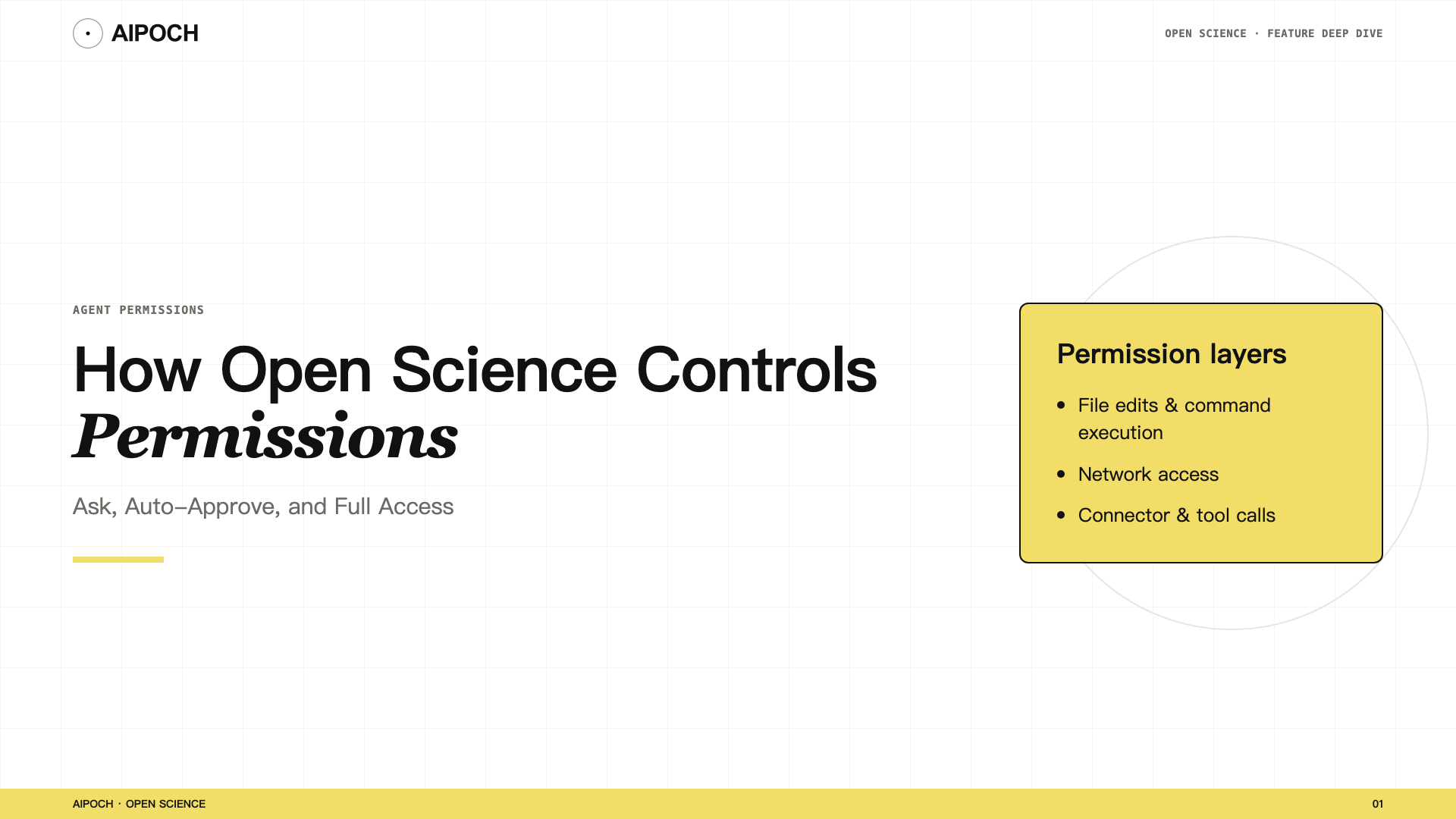
AI agent permissions determine what an AI research agent can do beyond generating text. It can edit files, run commands, execute Python or R, search the web, and call scientific tools. Those capabilities are useful precisely because they can change project state or interact with systems beyond the conversation.
AIPOCH Open Science is an open-source, local-first, model-agnostic, self-hosted AI research workbench for traceable and inspectable scientific workflows. It therefore treats agent autonomy as a permission decision rather than a single on-or-off setting. Researchers can choose a conversation approval profile, review protected actions, create scoped allow grants, and control individual Connector tools. See What Is Open Science? A Local-First, Model-Agnostic AI Research Workbench for the broader product overview.
These controls make human decision points visible. They do not certify a script as safe, validate a scientific method, or guarantee that an approved external service handles data appropriately.
What the Permission System Controls
The permission system governs agent-requested actions such as:
- editing files in the workspace;
- executing commands or code;
- accessing the network;
- calling built-in or custom Connectors;
- invoking individual tools exposed by a Connector.
Permission and data flow are related but different questions. Permission asks whether an action may run. Data-flow review asks what information the action sends and where it goes. Sending a task to a configured cloud model already involves a model request; read How Data Flows Through Open Science for the external-data boundary.
The Three Conversation Approval Profiles
Open Science provides three approval profiles for a conversation.
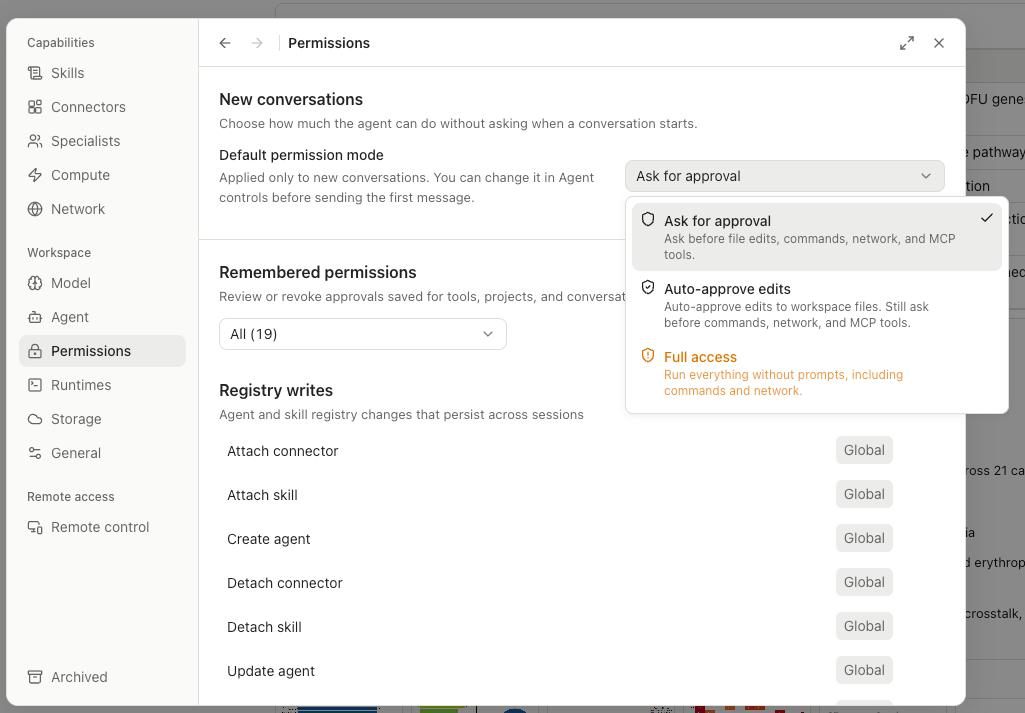
| Profile | What happens |
|---|---|
| Ask for approval | Asks before edits, commands, network access, and MCP tools |
| Auto-approve edits | Allows workspace edits automatically; still asks for commands, network access, and MCP tools |
| Full access | Allows edits, commands, network access, and Connectors automatically |
The narrowest profile that can complete the task is usually the best starting point.
Ask for approval
Use Ask for approval when you are learning a workflow, handling unpublished data, testing a third-party Skill, or connecting an unfamiliar MCP server.
When a protected action is proposed, the approval interface can show the requested call and, where applicable, a code preview. You can decide whether to allow the individual call or apply a broader conversation-level decision.
Approval is not scientific validation. Allowing a Python command means you permit the command to run; it does not mean the statistical method, input selection, or interpretation is correct.
Auto-approve edits
Use Auto-approve edits when file changes are expected and trusted, but you still want checkpoints before commands or external calls.
Examples include:
- restructuring a Markdown report;
- renaming generated files inside a project;
- updating a local table or documentation set;
- editing scripts while keeping their execution approval-gated.
This profile separates permission to change workspace files from permission to execute code or communicate externally.
Full access
Use Full access only for a narrow task whose inputs, tools, scripts, and destinations you already trust.
Full access can be appropriate for an unattended batch operation in an isolated project. It is a poor default for an unfamiliar Skill, sensitive data, a newly added Connector, or a task that can discover and run arbitrary commands.
The label describes what the agent may do automatically. It does not certify the task as safe.
Changing Permissions During a Running Turn
Open Science v0.13.0 supports live permission-profile changes during a running turn.
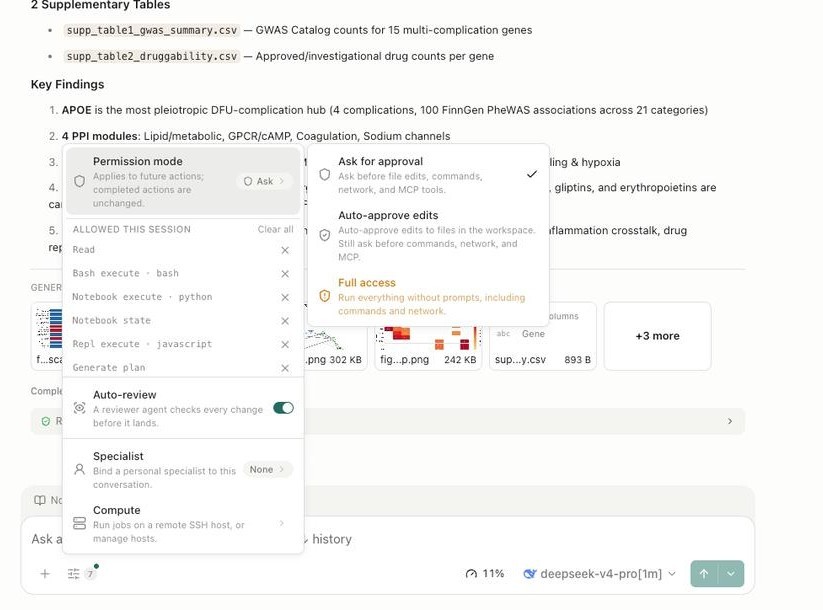
This is useful when a task changes character. You might begin in Ask mode while inspecting the first commands, then move to a more permissive profile after reviewing the initial workflow and confirming its expected behavior. You may also tighten the profile when a task reaches a remote service or unfamiliar script.
A profile change does not undo calls that have already completed. Before changing modes, review the current activity, the remaining plan, and any pending approval.
Scoped Allow Grants
Repeated approvals can become noisy in a trusted workflow. Open Science can store durable allow grants at different scopes:
- Global: available across projects where the matching permission applies.
- Project: limited to one research project.
- Session: limited to one session.
The permission-management interface supports filtering, revoking individual rows or permission families, and undoing grant changes.
Scope matters. If an operation is only needed for one experiment, a session or project grant exposes less future surface than a global grant.
Current scoped permission management is centered on allow grants. It is not yet a complete policy engine with comprehensive network sandboxing, user-configurable directory grants, and centralized credential inventory or rotation.
Connector- and Tool-Level Policies
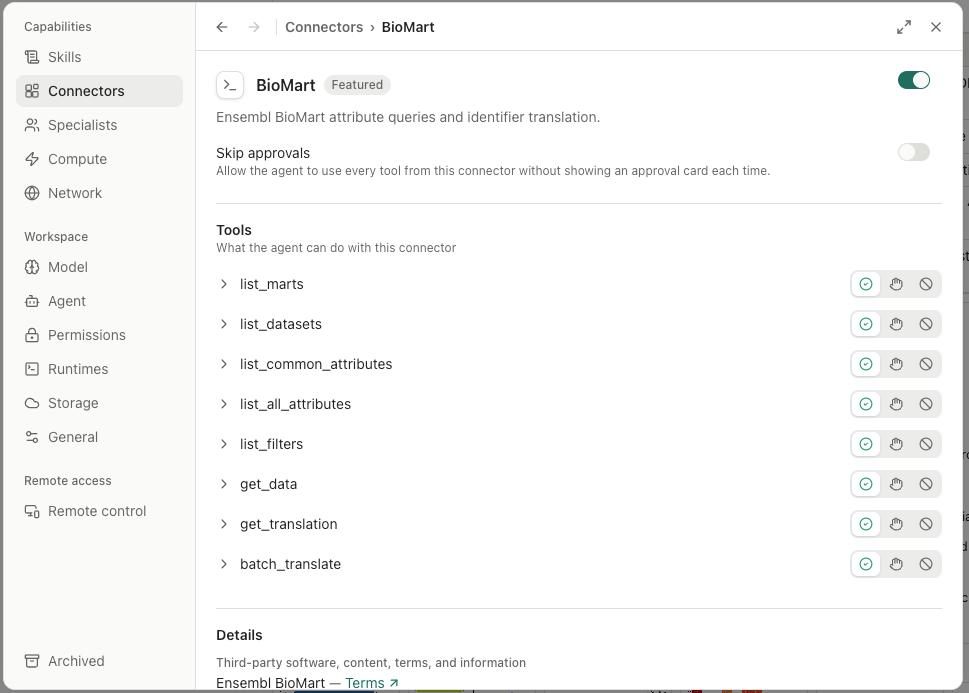
Open Science supports built-in scientific Connectors and custom local or remote MCP servers. A Connector can expose multiple tools with different risk profiles, so enabling the Connector does not have to give every tool the same authority.
| Policy | Meaning |
|---|---|
| Always allow | Matching calls can run without asking each time |
| Ask each time | Every matching call requires a decision |
| Block | The tool is unavailable to the agent |
A literature-search tool may send only a query, while another tool may submit a file or execute a local process. Set the policy at the narrowest useful tool level.
In v0.13.0, custom MCP support also includes standard OAuth sign-in for compatible remote Connectors and portable configuration import/export. Authentication makes a connection possible; it does not determine which data is appropriate to send. Review imported configurations, endpoints, tool descriptions, and requested parameters before enabling them.
A Practical Permission Strategy
A conservative starting strategy is to begin in Ask mode, relax controls only for predictable local edits, keep repeated permissions narrowly scoped, and review or revoke grants when the task ends. Consider a project that analyzes a public CSV, generates a figure, and searches the literature for related methods.
Stage 1: inspect the workflow
Start with Ask for approval.
- Inspect the proposed Python or R code.
- Confirm the file path and output location.
- Review the search query and external destination.
- Keep unfamiliar Connector tools on Ask each time.
Stage 2: permit routine local edits
Switch to Auto-approve edits once file changes are predictable, while keeping commands and external access gated.
Stage 3: create a narrow grant
Prefer a session- or project-scoped allow grant over a global grant for any operation that repeats within one experiment.
Stage 4: review and revoke
After the task ends, inspect the activity history, review protected actions, and revoke any grants or credentials that are no longer needed.
- inspect the activity history;
- review which protected actions ran;
- revoke grants that are no longer needed;
- remove temporary credentials or Connector configurations;
- manually inspect outputs, logs, and screenshots for sensitive content before sharing them.
Before Approving an Agent Action
The checklist below turns a permission prompt into seven concrete questions: what is happening, to what target, with what arguments, at what scope, what side effects it may have, whether it is reversible, and whether you have reviewed the method.
Use this checklist:
- Action — Is the agent editing a file, running code, accessing a network, or calling a tool?
- Target — Which file, command, Connector, MCP server, or remote host is involved?
- Arguments — What exact paths, parameters, queries, or commands will be used?
- Scope — Is the decision for one call, one session, one project, or globally?
- Code behavior — Can the script read other files, create processes, modify state, or make additional network requests?
- Reversibility — Can the file change, grant, token, or configuration be undone or revoked?
- Scientific role — Are you approving execution only, or have you independently reviewed the method as well?
For external calls, also review the destination and information being transmitted. A permission decision should not be made from the tool name alone.
What the Permission System Does Not Guarantee
Open Science permission controls provide meaningful checkpoints, but they are not a complete security boundary. They are one part of a broader verification posture
As of v0.13.0:
- Agent network sandboxing is not complete.
- User-configurable directory-level file grants are not complete.
- Centralized credential inventory and rotation are not built.
- Scoped permission management primarily stores allow grants.
- A permitted script can still behave incorrectly or unsafely.
- A remote service's data handling remains governed by that service.
- Full access does not imply scientific or security review.
Use operating-system controls, isolated projects or accounts, institutional policies, and data minimization when the sensitivity of the work requires them.
Conclusion
Open Science uses layered permission controls for the actions that make an AI research agent useful: editing, execution, network access, and external tools.
The three approval profiles set the default level of autonomy for a conversation. Scoped grants reduce repeated prompts without making every permission global, while Connector- and tool-level policies provide more precise control over external capabilities.
Start with the narrowest authority the task needs. Increase autonomy only after reviewing the workflow, and revoke temporary grants when the work is complete.
Frequently Asked Questions
Which permission profile should I use first?
Use Ask for approval for a new or sensitive workflow. Move to a more permissive profile only after you understand the tools, scripts, inputs, and external destinations involved.
Can I allow one Connector tool and block another?
Yes. Open Science provides per-tool Always allow, Ask each time, and Block policies for Connectors.
Can I change permissions while the agent is running?
Yes. v0.13.0 supports live permission-profile changes during a running turn. A change does not reverse actions that already completed.
Does approving a command mean Open Science validated it?
No. Approval authorizes execution. It does not establish that the code, statistical method, dependencies, or scientific interpretation are correct.
Disclaimer
Open Science is a research workflow tool. It does not replace researcher judgment, and researchers remain fully responsible for evaluating the accuracy, completeness, and appropriateness of any outputs generated. All outputs require independent verification and expert interpretation before use in any research context.
Scientific and security boundary: Researchers remain responsible for permission scope, code review, system safeguards, institutional compliance, and the scientific validity of generated outputs.